
Which Photo Book Maker Is the Best? (Real Book Reviews!)
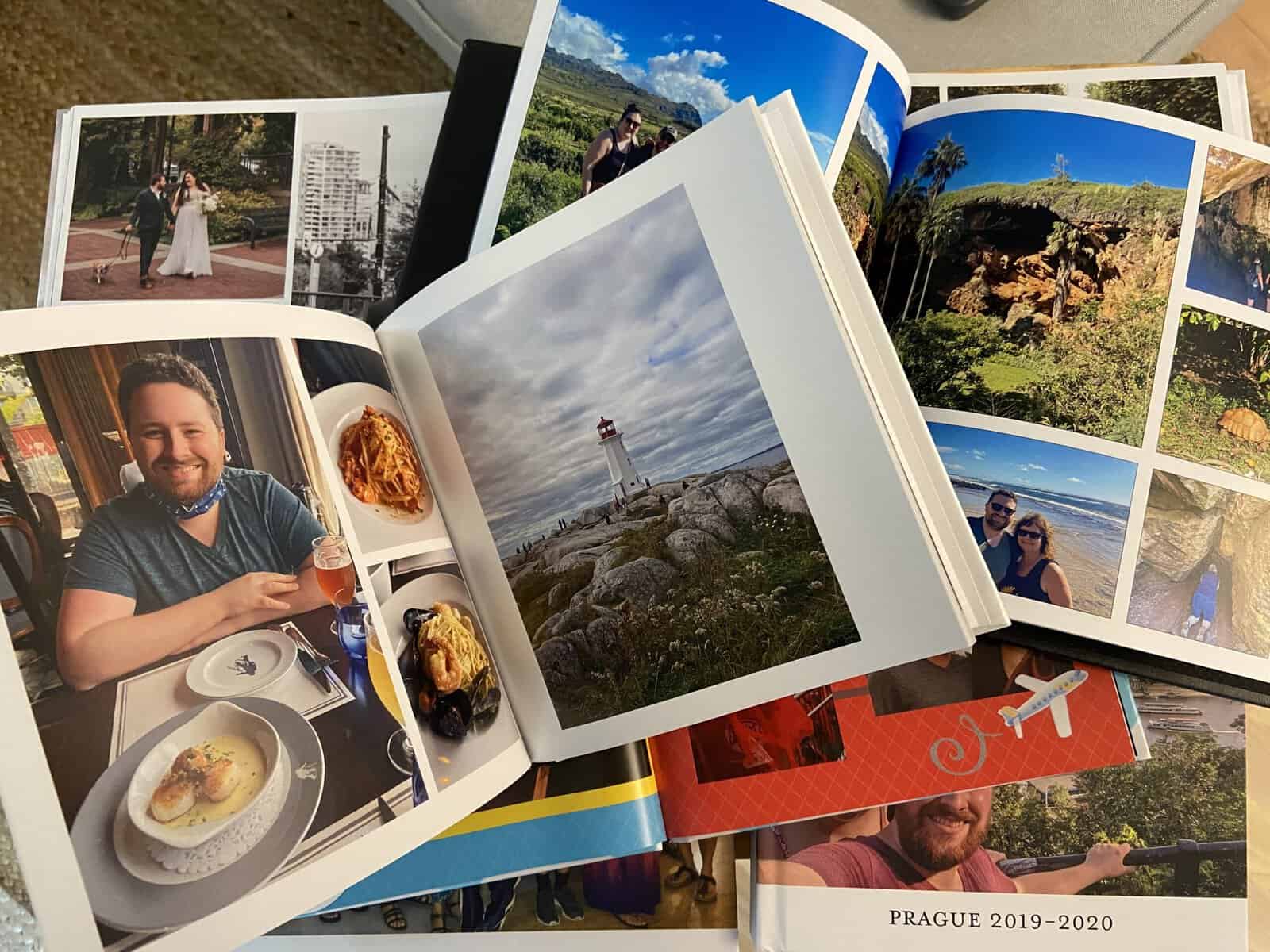
For me, travel is about so much more than just the trip. I love the months of planning leading up to a trip and I really enjoy reliving my memories once I’m back.
One of my favourite ways to relive those memories and reminisce over travel stories is by making my own photo book!
These days, everyone has photos on their phones but so few people take the time to print them. It’s old school, but there’s something so special about holding a photo in your hand and taking the time to appreciate it.
I’ve been making photo books for years. My very first one was a scrapbook style recap of our 2018 trip to Ireland.
I then found online photo book makers and have since used companies like Mixbook, Vistaprint, Shutterfly and Artifact Uprising to create beautiful time capsules of our travels through Europe, New Zealand, Atlantic Canada and more!
I love photo books because not only do they allow me to print my memories and have handheld reminders of the amazing trips I’ve been on, but they also allow me to walk down memory lane while I put the photo book together.
So if I’ve sold you on the value of making your own photo book, then comes the big question: Which online photo book maker should you choose?
There are so many different online photo book services to choose from. It can be intimidating to make a decision!
And you definitely don’t want to get halfway through designing a book only to find out the price is too high or the software is too frustrating to finish.

Below, I’m going to compare some of the most popular online photo book services: Vistaprint vs Shutterfly vs Mixbook. I’ll share my personal experiences using each of these services, which is best based on your needs, and the pros and cons of each.
This post is not sponsored. I paid for each of the photo books I reviewed and am writing this post independently, so all of my views are completely unbiased.
However, I did work with some of the brands mentioned in separate sponsored reviews after the fact, and have included links to those, as well as affiliate discount codes – meaning you get to use my code to save money and I receive a small commission, at no additional expense to you.
All of the original books below were ordered between Nov 2021 and Mar 2022, plus I did an additional Mixbook review in March 2024, Printique review in Oct 2025, created my baby photo book in 2025, my year in review book in Jan 2026 and my custom board book in Sep 2026.
I’ve continued to order photo books from these companies between 2023 and 2026. So as you can see, I have a lot of photo book experience!
I’ve updated the post below with 2025 prices and book options, where applicable. I’ll compare not only the photo books I made but a sample product across all the brands for a better direct comparison.
So if you’re looking to create a photo book of your travels – or any of your photo memories – stay tuned to find out which online photo book service is the best!
Will Shutterfly, Mixbook or Vistaprint win? Let’s find the best photo book maker!
Summary: The best photo book maker awards
- Most affordable: Vistaprint
- Most user-friendly: Mixbook
- Most upgrade options: Shutterfly
- Fastest delivery: Shutterfly & Mixbook
- Best quality photo book: Mixbook
PS: Click here to get up to 50% off your Mixbook order with my code, MIXTEA26
Vistaprint photo book review
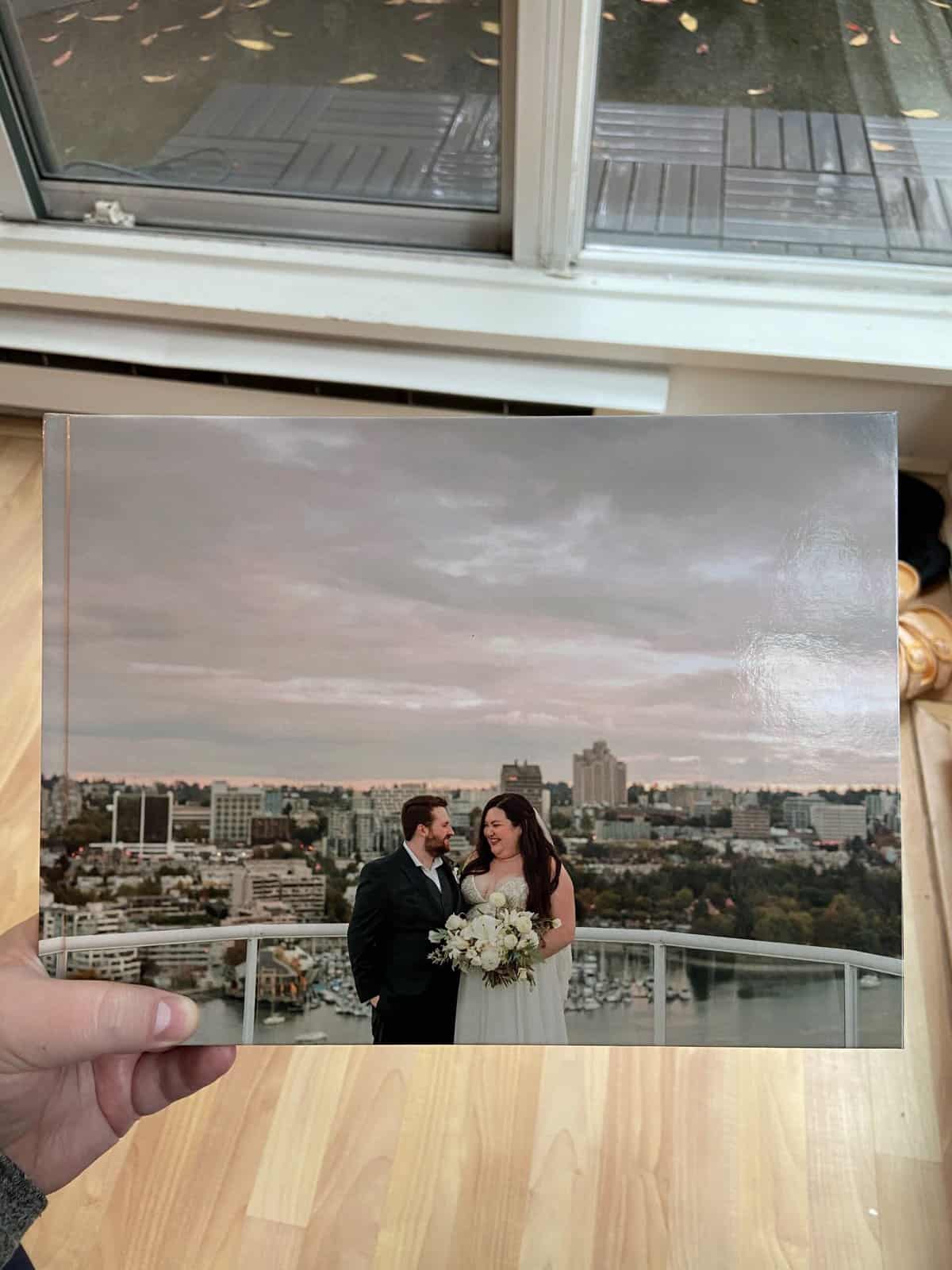
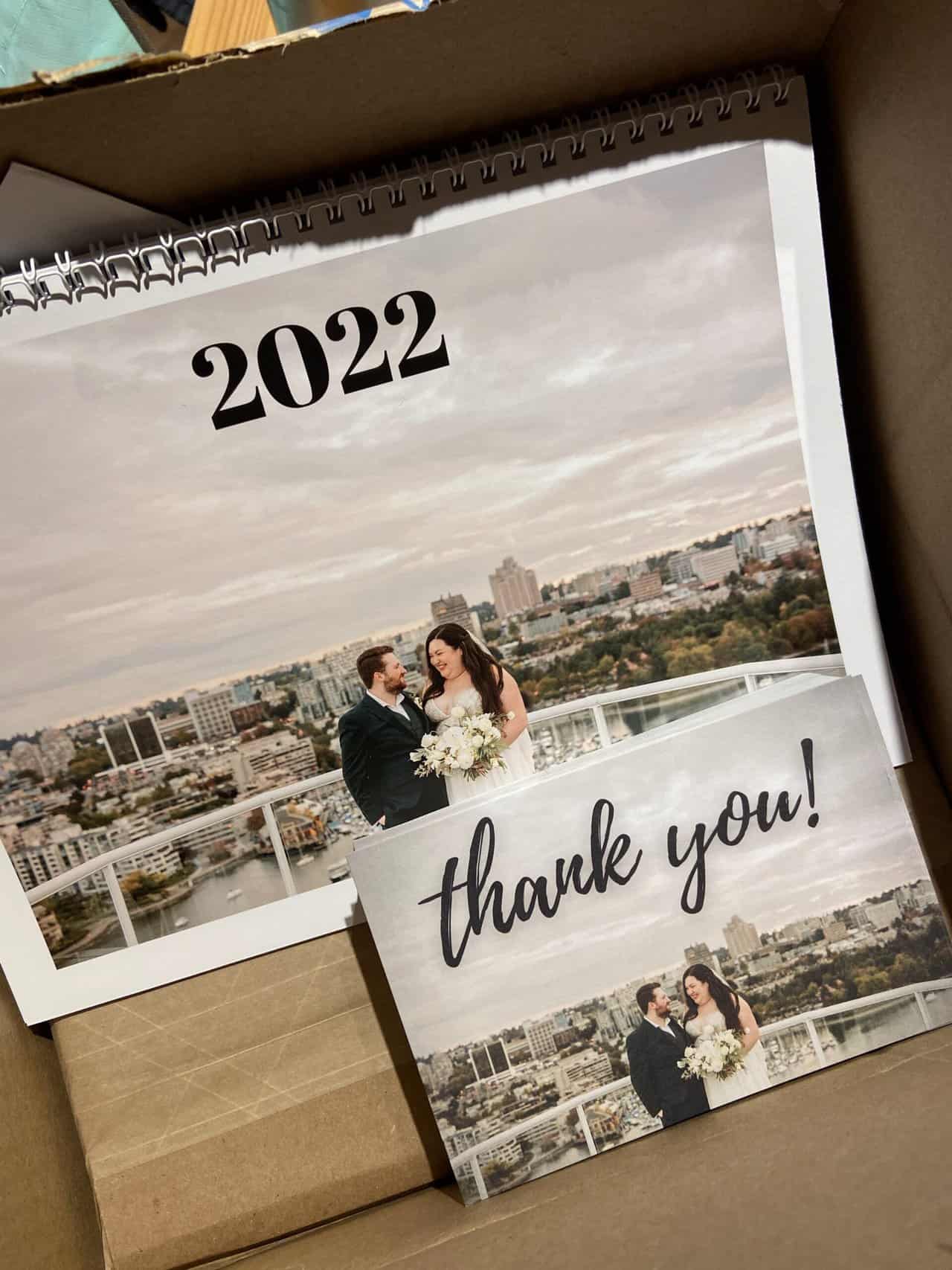
Vistaprint is one of my go-to photo book services. Over the last couple of years, I’ve created a number of photo albums with them, as well as postcards and calendars.
I order through the Canadian Vistaprint website, but there are American, British and other international versions, depending on your country.
Photo book order
For this review, I used Vistaprint for our wedding photo album! Here are the details of my order:
- 4 x photo books
- Standard matte paper
- Hard cover album with photo cover
- 48 pages
- 11 x 8.5″ size
- Express shipping: $20.99 CAD ($16 USD)
- $159.21 CAD total; $39.80 CAD ($29 USD) per photo book (not including shipping costs)
Price: 5/5
This will be a common theme throughout this post but it’s important to note that I used a discount code for my Vistaprint photo book.
The price without the discount would have been $227.45 total or $56.86 CAD ($42 USD) per photo book, before shipping. We also received a discount for ordering four books.
Vistaprint photo books are always hard cover and come with 24 pages; you can pay extra like we did for additional pages and to put a photo on the cover.
However, compared to the prices of some other online photo book services, this was awesome bang for buck! Vistaprint is one of the cheapest options if you want a hard cover book with lots of pages.
As of 2025, Vistaprint offers seven sizes of photo books, ranging in base price (before extras) from $15 – 55 CAD ($11 – 40 USD) without any discounts applied.

Besides their regular promotions and discount codes, Vistaprint also offers an additional discount for ordering in bulk (i.e. the price per item goes down if you’re ordering more than one).
We did this with our wedding album, saving some money by ordering four (which made great Christmas gifts for our parents!).
Another thing I really like about Vistaprint’s pricing is how transparent they are.
It was very easy to find pricing info on their website and they have the price displayed on their photo book editor while you’re making your book, meaning you can see how much it costs to add extras, like additional pages or a photo cover, as you’re adding them.

2025 note: While the prices in the 2024 image below are still current as of 2025 (yay to no price increases!), this information is harder to find.
I couldn’t locate a table like this on their website anymore, and instead had to search size by size to see what the prices were. There was also no easy way to see the cost of different covers, paper options or additional pages.
Plus, the sizes listed on their main photo book page didn’t correspond with the sizes available when I started designing a photo book.
Despite this slight lack of transparency/confusion (the base cost is still displayed), Vistaprint remains a 5/5 on pricing due to the low costs for a good quality, hard cover book.
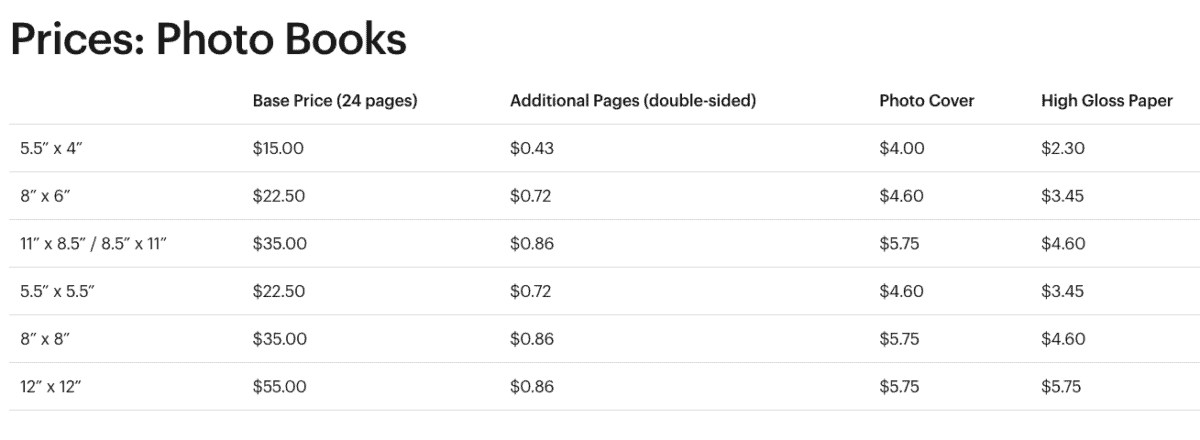
Photo book maker: 4/5
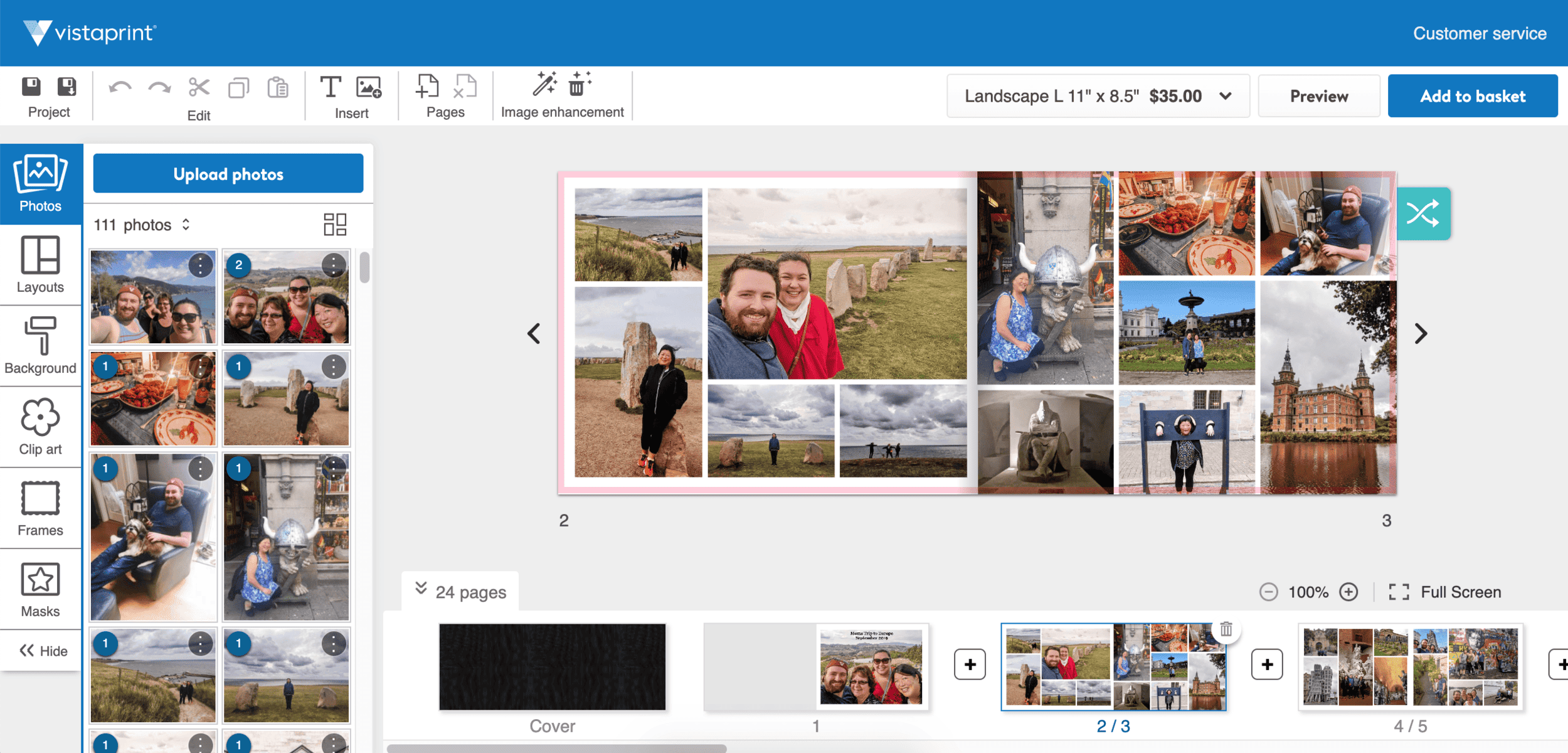
Vistaprint’s online photo book editor was easy to use. I liked the page layout options and the safety border so you know if your photos will bleed into the margins.
I also liked having all of the photos I inputted on the lefthand side and the pages of the book along the bottom. This felt very intuitive and made it easy to lay out my photos.
There’s another photo book maker I liked better, but Vistaprint’s was pretty good. It’s simple and the format does feel a little dated, but I don’t have any big complaints.
They’ve also updated it slightly over the years. Below are screenshots of what the photo book editor looks like in 2025 vs what it looked like in 2022.

Vistaprint also has an offline editor, which you can download onto your Mac or PC and use. If you want to make your photo book on your phone, you’ll need to use their online editor.
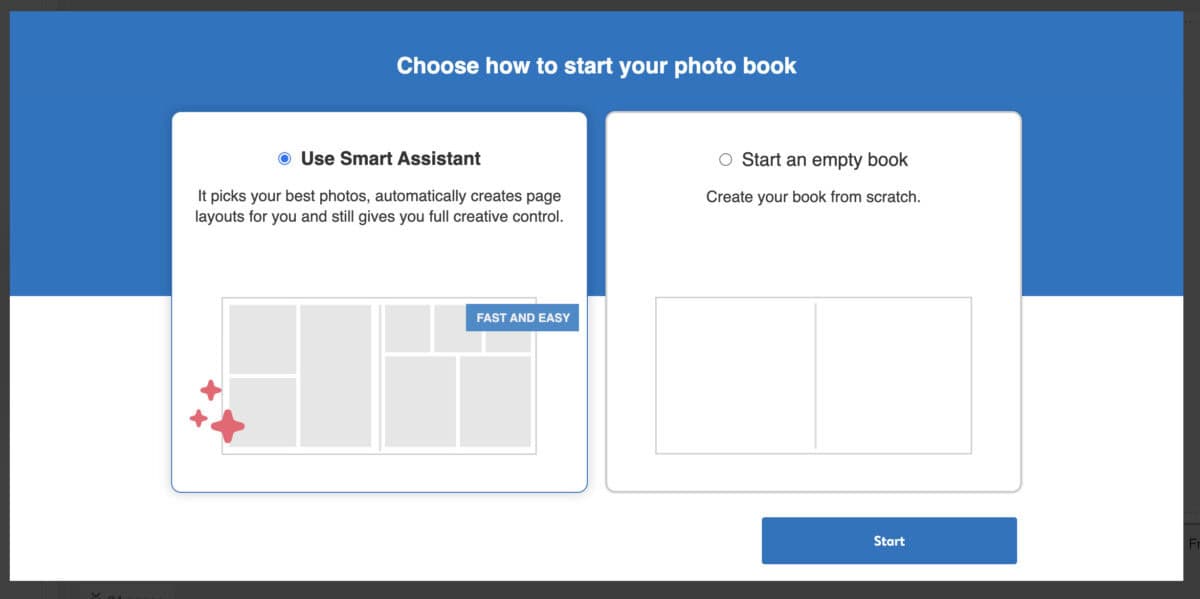
Their online editor also has a Smart Assistant feature, which will automatically design and arrange your photo book for you. I tried it and like that you can choose your own photos and margin size.
Personally, I like to have more control in designing my books. But the Smart Assistant could be handy if you’re happy to let the tool arrange your photos for you.
Delivery: 3/5
I ordered our Vistaprint photo books on November 28, 2021 and paid for priority shipping ($20.99 CAD) expecting them to arrive by December 13, 2021.
This was super important as we were giving the wedding albums to our parents as Christmas gifts and needed them before Dec 17, when we were flying to Toronto.
Unfortunately, the albums were delayed and didn’t arrive until Dec 19, after we had already left for the holidays.
Obviously this was upsetting as we had paid extra for priority shipping and didn’t get to give our parents their gifts in time for Christmas.
However, this was also during some of the worst supply chain delays and intense flooding in BC, so it may have been a one-off issue. We also ordered postcards and a calendar at the same time, which both arrived ahead of schedule.
I’ve since used Vistaprint for gifts for Christmas 2022 and Christmas 2023, as well as a personal book in May 2023.
In 2022, I ordered the book on Dec 10 and expected delivery was Dec 22. Once again, delivery was delayed and the book didn’t make it by Christmas.
Our May 2023 book was early (ordered May 8 with expected delivery of May 23, but arrived May 18). For Christmas 2023, I learned my lesson and ordered early on Nov 23, with the book arriving quickly on Nov 29.
So what’s the takeaway? Vistaprint is hit and miss with delivery times, especially around the holidays. Take their expected delivery dates with a grain of salt and order early.

Product: 4/5
I was really impressed by the final product, especially considering the price!
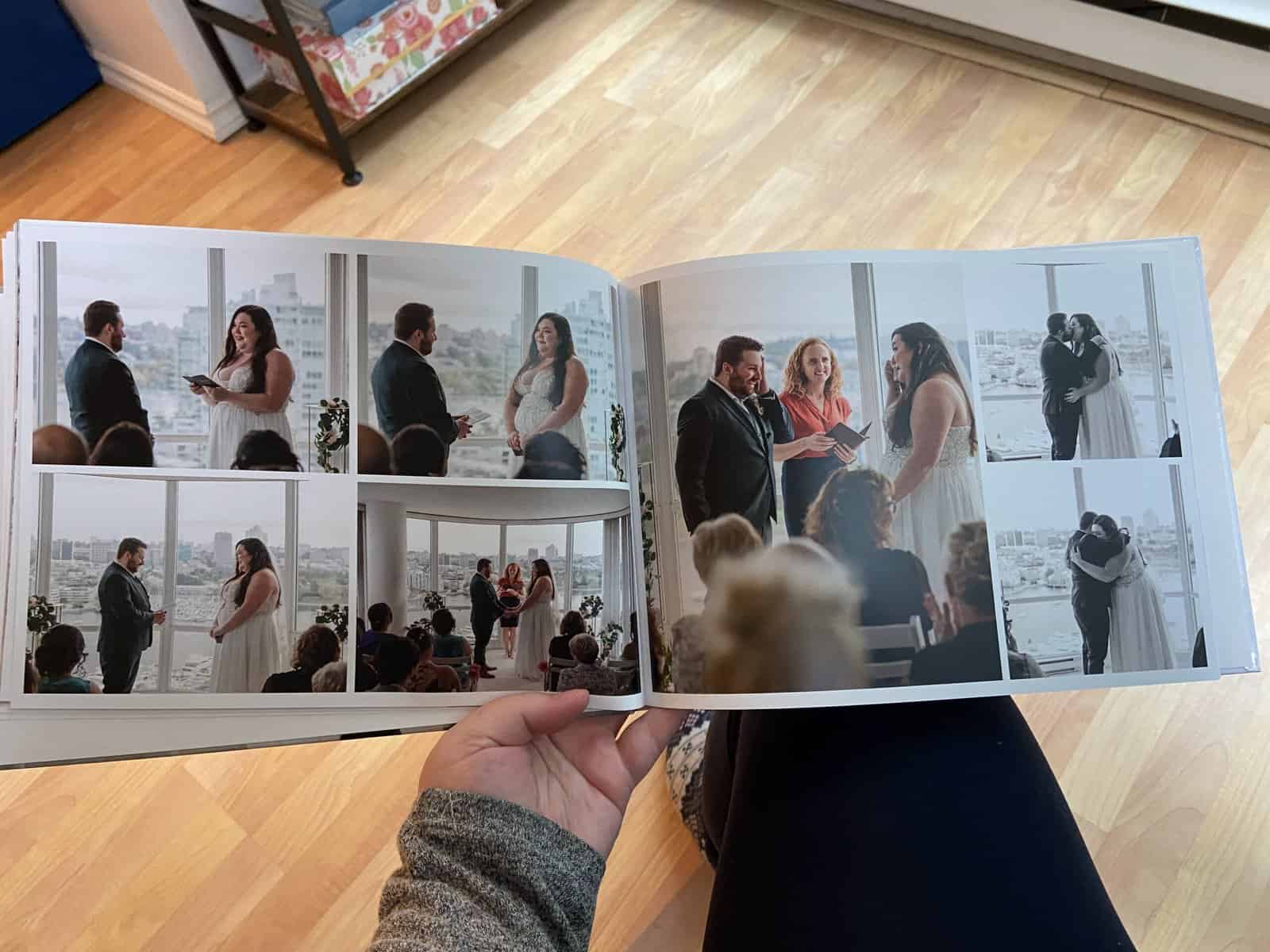
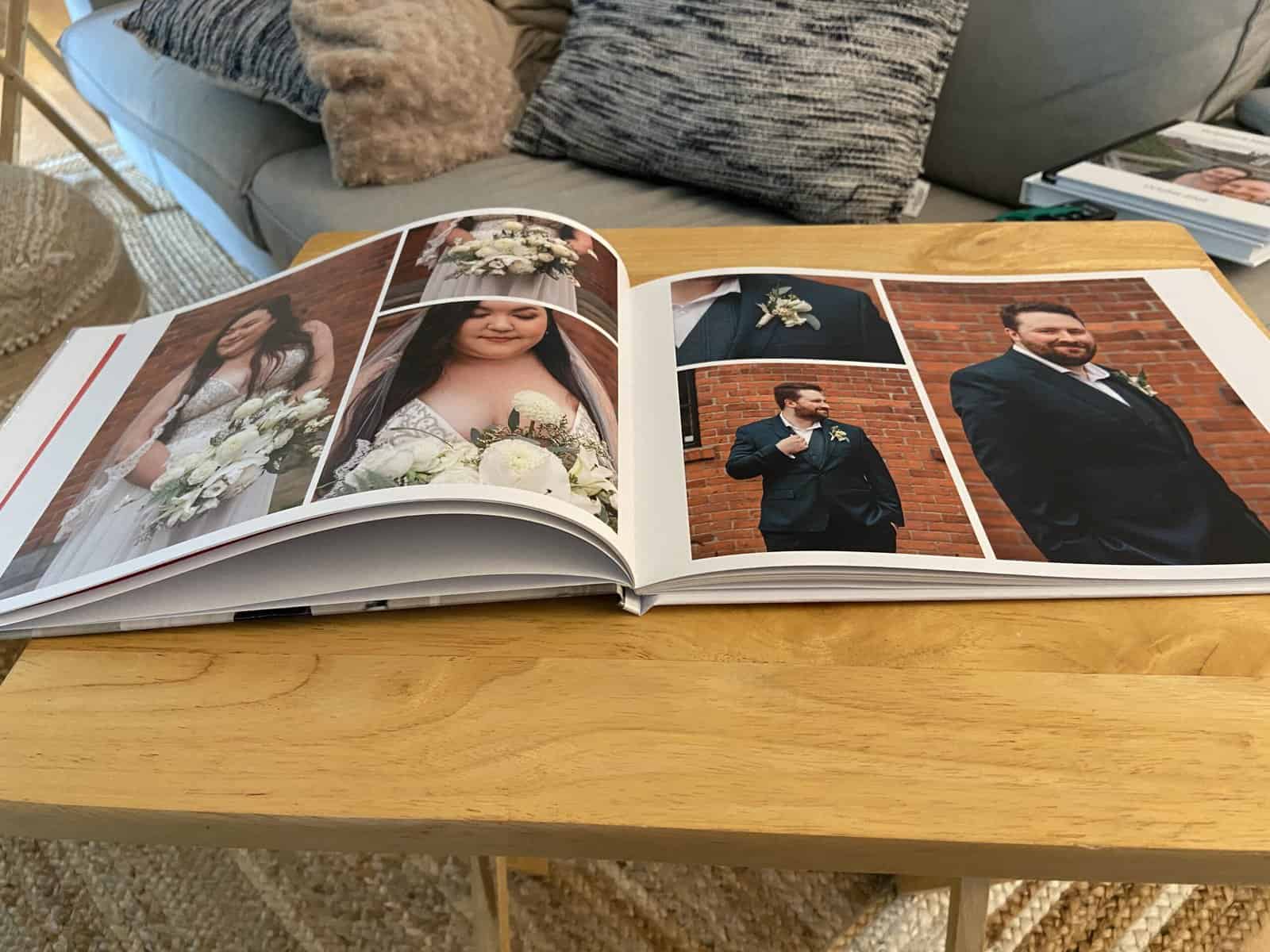
Our Vistaprint photo books are a really nice quality. The photos printed beautifully and the pages look really clean.
Despite not having the option to order lay flat pages for the size of book we chose, the pages all lay quite flat (meaning you don’t lose half your photo in the crease). I think going for a longer book (8.5 x 11″) helps the pages to stay down.
The cover does feel a little on the cheap side (especially compared to another book below), so if you’re looking for luxury, this wouldn’t be it.
But if you’re just after a good quality book at a reasonable price, Vistaprint is a winner!

Pros and cons of Vistaprint photo books
Pros:
- Affordable price, especially for a hard cover photo book with lots of pages
- Relatively easy to use their photo book creator
- Transparent pricing with the price updating as you design your book
- Good quality product with nice photo book printing and pages that lay pretty flat
Cons:
- While the product is good, it’s not luxurious
- Delivery time is hit or miss (especially around Christmas)
Shutterfly photo book review
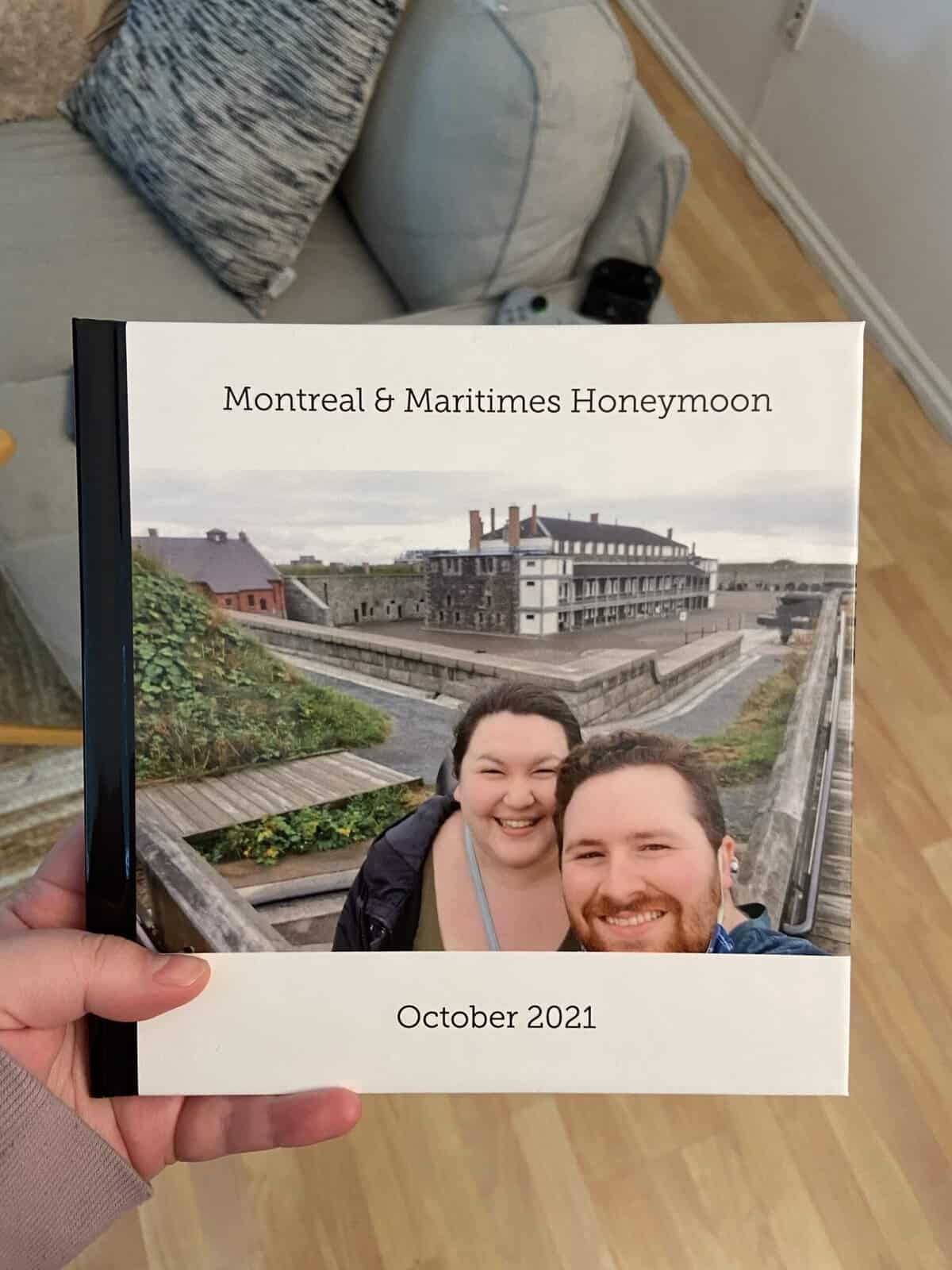
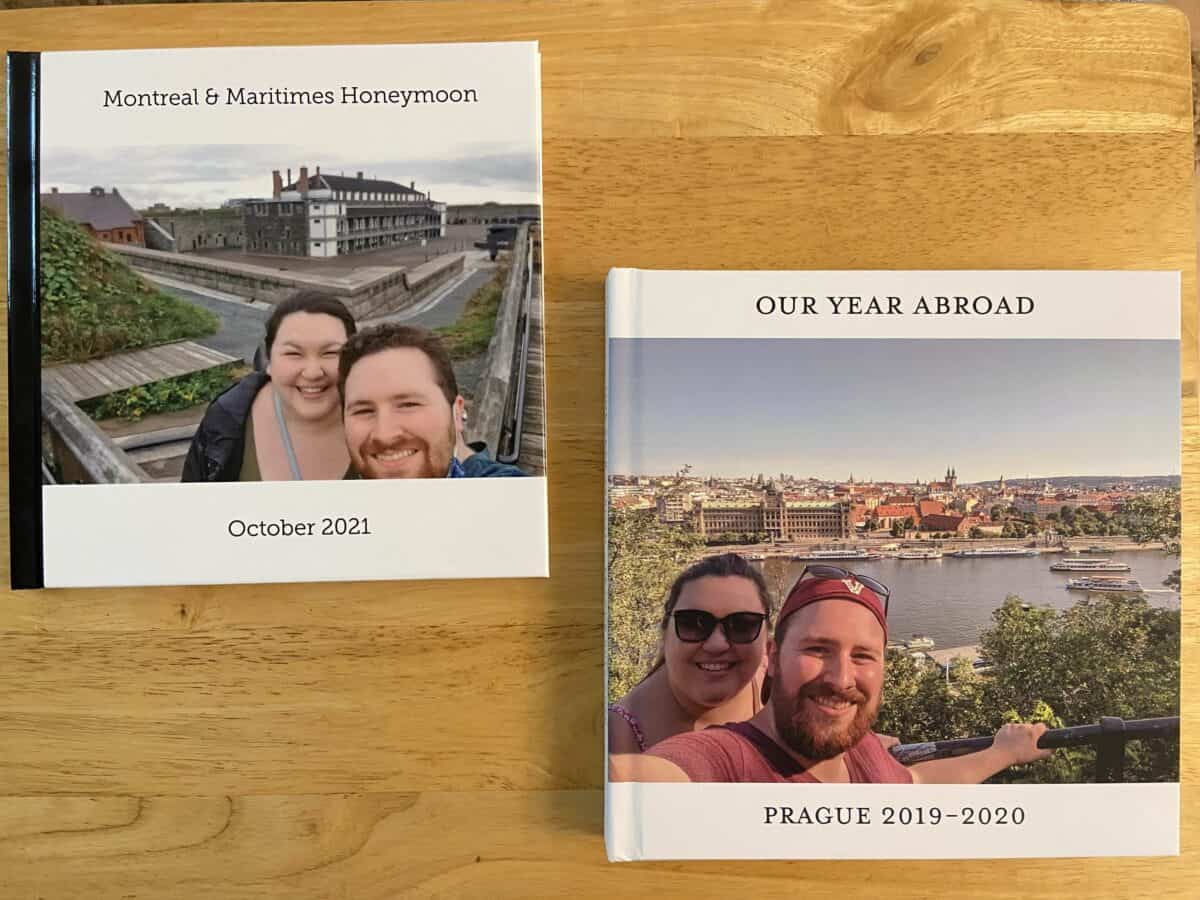
Like Vistaprint, I’ve ordered from Shutterfly a number of times over the years. I used Shutterfly to create a photo book for our honeymoon through Atlantic Canada and Montreal in 2021.
It’s important to note here that I ordered through the main Shutterfly site, which is an American site and prices are in USD, but they do ship to Canada.
There is also a Canadian site, Shutterfly Canada, but it either didn’t exist or I didn’t know about it at the time of ordering.
Photo book order
Here’s what I ordered:
- Standard pages & standard binding
- Hard cover album with photo cover
- 25 pages
- 8 x 8″ size
- Standard shipping to Canada: $12.99 USD
- $19.49 USD total (not including shipping costs); apx $26 CAD

Price: 3/5
Once again I must begin by saying: I used a Shutterfly discount code that I believe gave me 50% off the regular price. Without the discount, this photo album would have cost $50 CAD ($37 USD) before shipping.
But thanks to the discount, I got a 25 page, hard cover photo book for just $25 CAD ($18 USD) – that’s a pretty great deal!
However, if you’re stuck paying regular prices, the Vistaprint book above is way better bang for your buck (more pages, bigger book, same price).
I used to think that even without the discounts, Shutterfly was pretty affordable. But looking at their 2025 prices, I’m shocked to see how expensive their photo books have gotten.
And unlike some other companies, there isn’t an easily available pricing table where you can compare Shutterfly’s different products. This post previously included two such tables, but there were no longer live on Shutterfly’s site as of 2025.
However, you do still have pricing info available when you start to create your book and in the online editor. But you’ll have to toggle thought the different size, cover and page options to see what the price will be.


Personally, I’d prefer a pricing table – the one below by Mixbook is so handy – so customers can easily see what the options are and what they’re paying for before they start designing.
Photo book maker: 3/5
Like the other online photo book services, Shutterfly’s website is simple to use and offers lots of options.
I particularly liked how many layouts they offered, including ones that spanned two pages to tell a more cohesive story.
However, one big dislike for me was where the photos lived in the editor. Uploaded photos are kept at the bottom of the page, cutting into the space used to build the book.
It was also really hard to see more than 10 photos at a time and scrolling through them became disorienting. I much prefer the photos to be on the side, rather than the bottom.
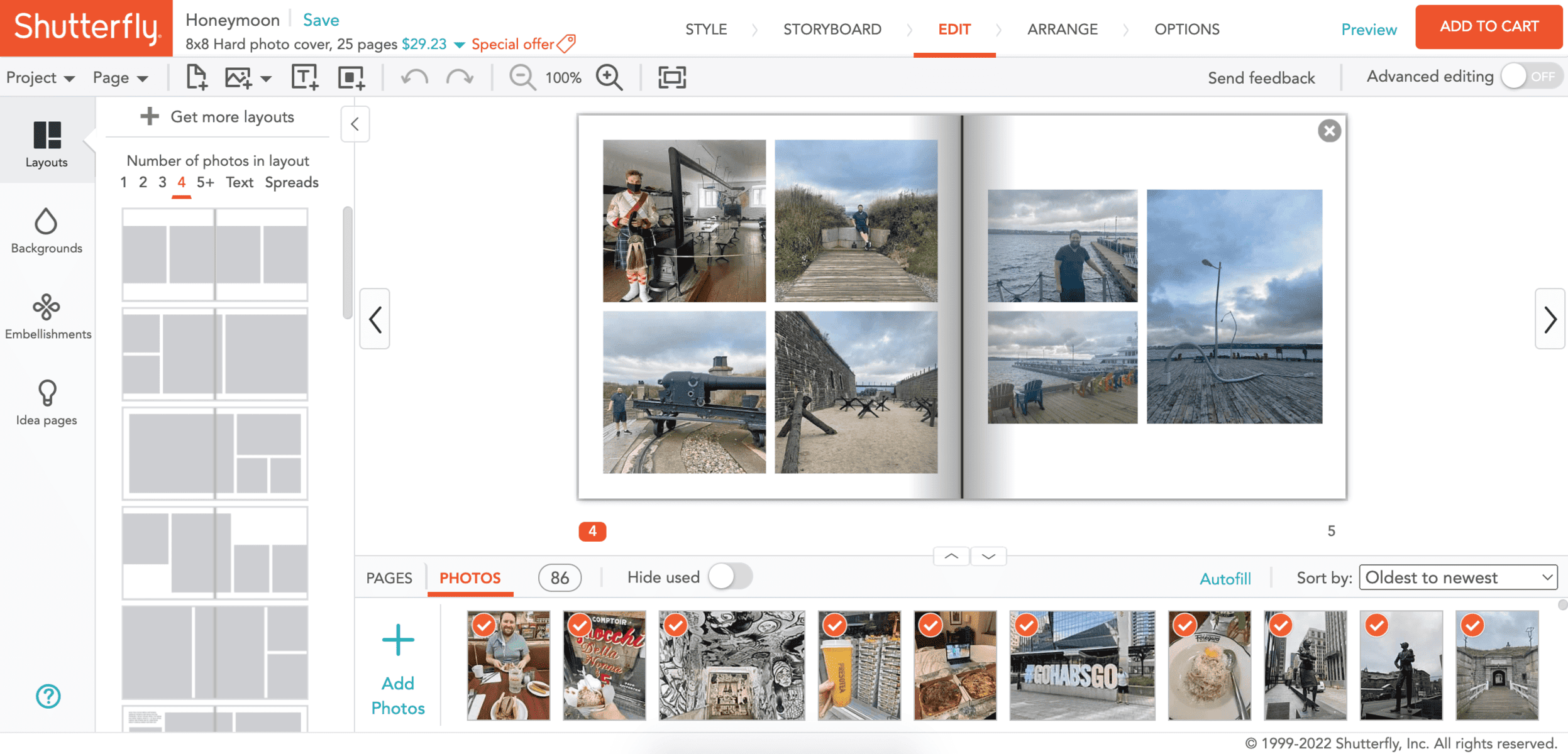
In working with their photo book editor again in 2025, I was sad to see that not too much has changed. The uploaded photos are still in an inconvenient spot and you can’t see your completed pages while editing your current page.
I also tried their auto-fill option and wasn’t too impressed. I selected choose my best photos, use few embellishments and a travel theme.
What I got was 1-2 images per page that weren’t centred, almost all of my photos (lots of repeats), no embellishments and nothing travel related.

I generally prefer to design my own books anyway, but for anyone looking for a fast auto-fill option, I’d skip Shutterfly’s offering. The auto-fill I tried with Vistaprint above worked much better.
However, Shutterfly does also have a Make It For Me FREE 24-Hour Designer Service. I haven’t tried this service yet but am very intrigued!

Delivery: 5/5
I was extremely impressed with Shutterfly’s photo book delivery, especially considering it shipped from the US and I’m in Canada.
I ordered my photo book on March 14, 2022 and received it on March 17, 2022. Only three days to ship from the US to Canada and I didn’t even have to pay for express shipping!
Not only was delivery extremely quick, but the book was also hand delivered to me from the courier, rather than left in my mailbox or at the front door of my building.
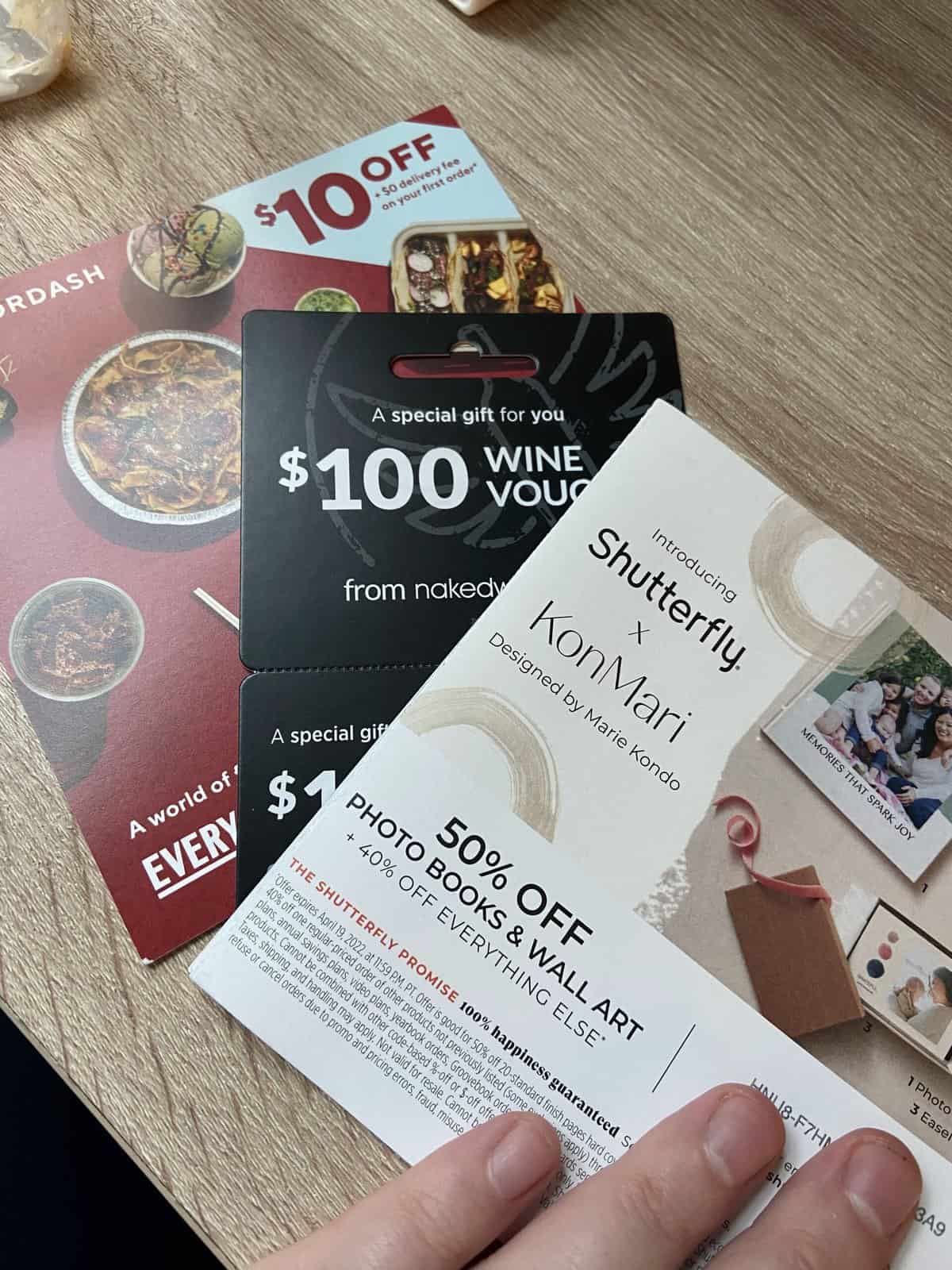
They also included a number of coupons with the photo book, which was a nice touch!
Product: 3/5
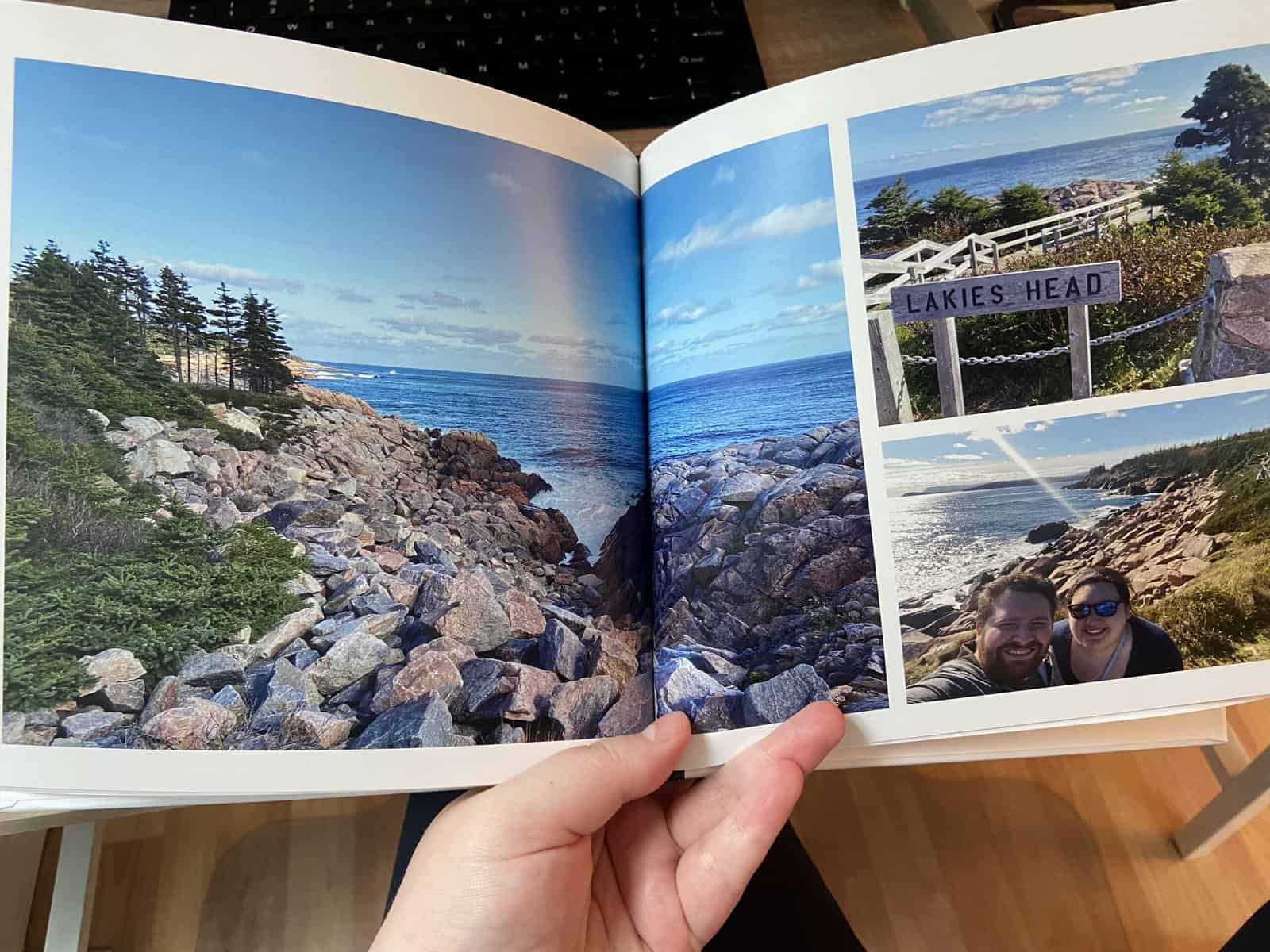
Sadly, I wasn’t super impressed with the Shutterfly photo book quality. The photos all looked a tiny bit blurry, and the cover was super grainy and too shiny for my liking.
While most online photo book makers will warn you when an image is too low quality to look good printed, Shutterfly never flagged any of my images.
I also found that the binding on the book was really tight and the pages didn’t lie flat at all, meaning some of the photos got cut off in the crease.
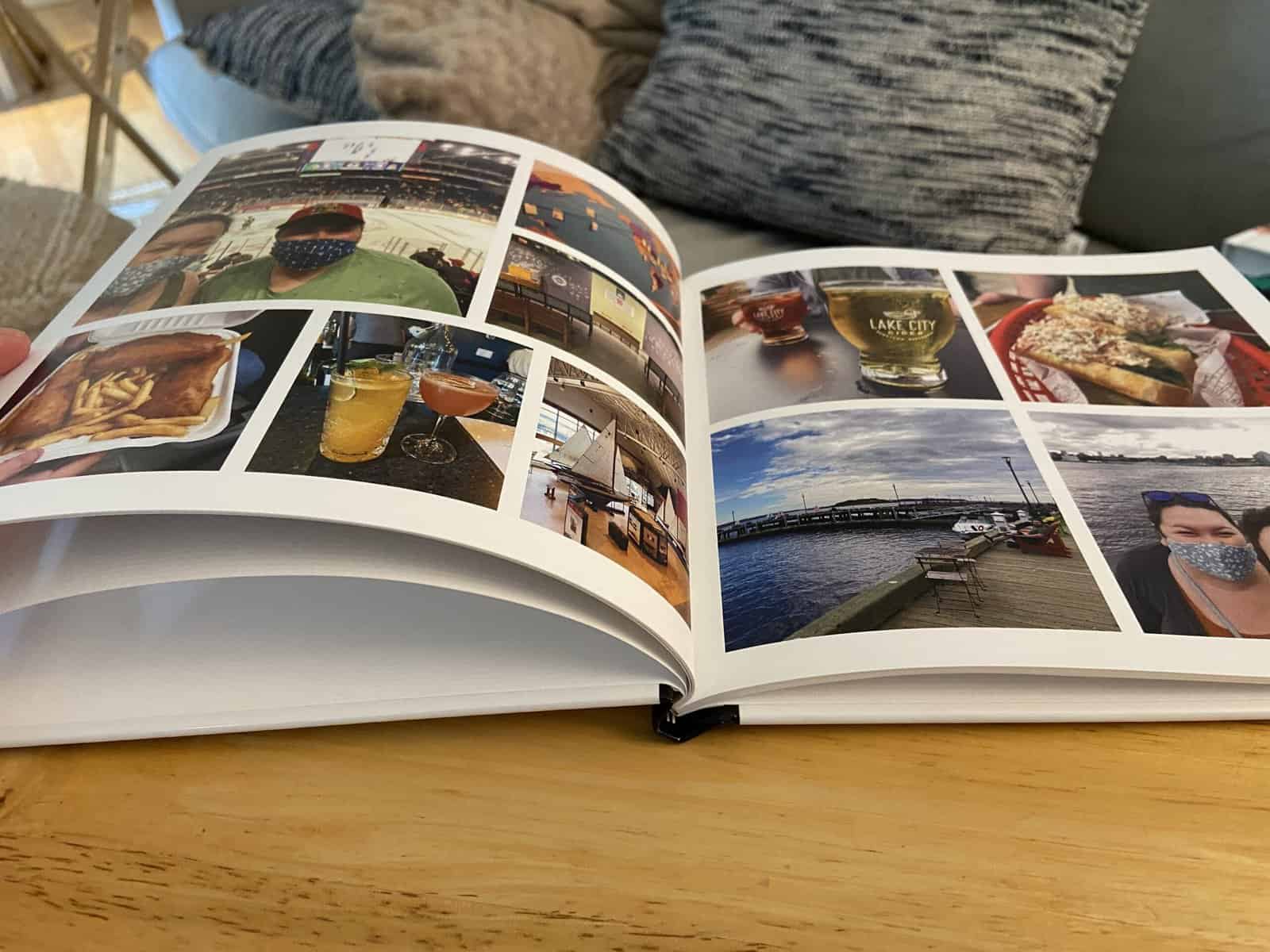
The Shutterfly photo book isn’t awful by any stretch. But the quality certainly has room for improvement, and was the least impressive compared to Mixbook and Vistaprint.
Perhaps the Shutterfly album would have looked better if I had upgraded the pages or cover, but of course, that’s an added expense.
And if you’re looking for those upgrades, Shutterfly sure has a lot of them! Not only can you choose the type of cover and paper used in your photo book, you can also add a gift box, memorabilia pocket, and more!

Pros and cons of Shutterfly photo books
Pros:
- Super fast delivery
- Lots of upgrade options
Cons:
- Print and cover quality were subpar
- The photo book studio wasn’t very user-friendly
- Pricing is not as transparent as it could be and prices have gone up in recent years
Mixbook photo book review
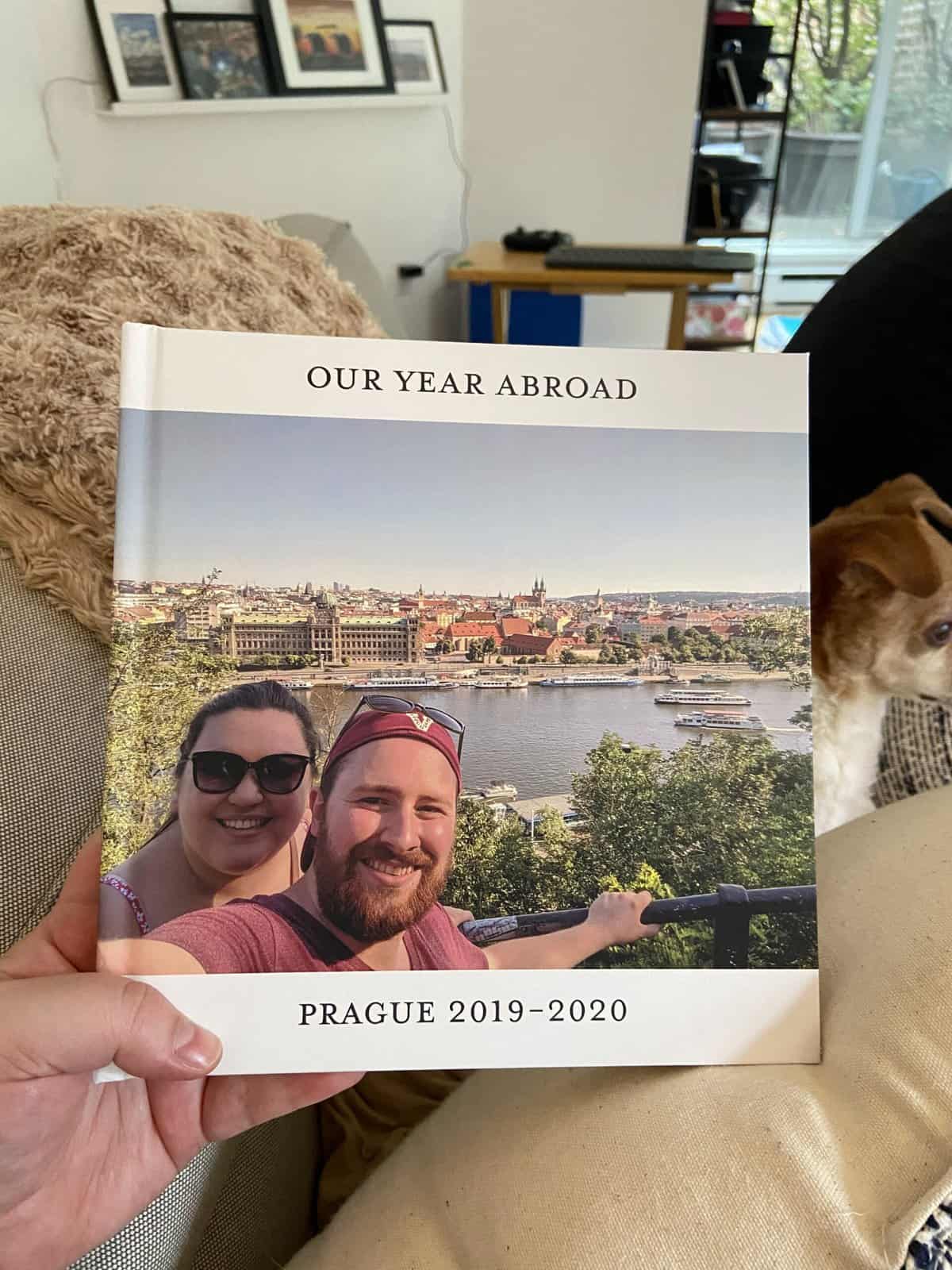
I first used Mixbook in 2022 after seeing it pop up in my social media ads a few times. I read a couple of reviews and decided to take the plunge!
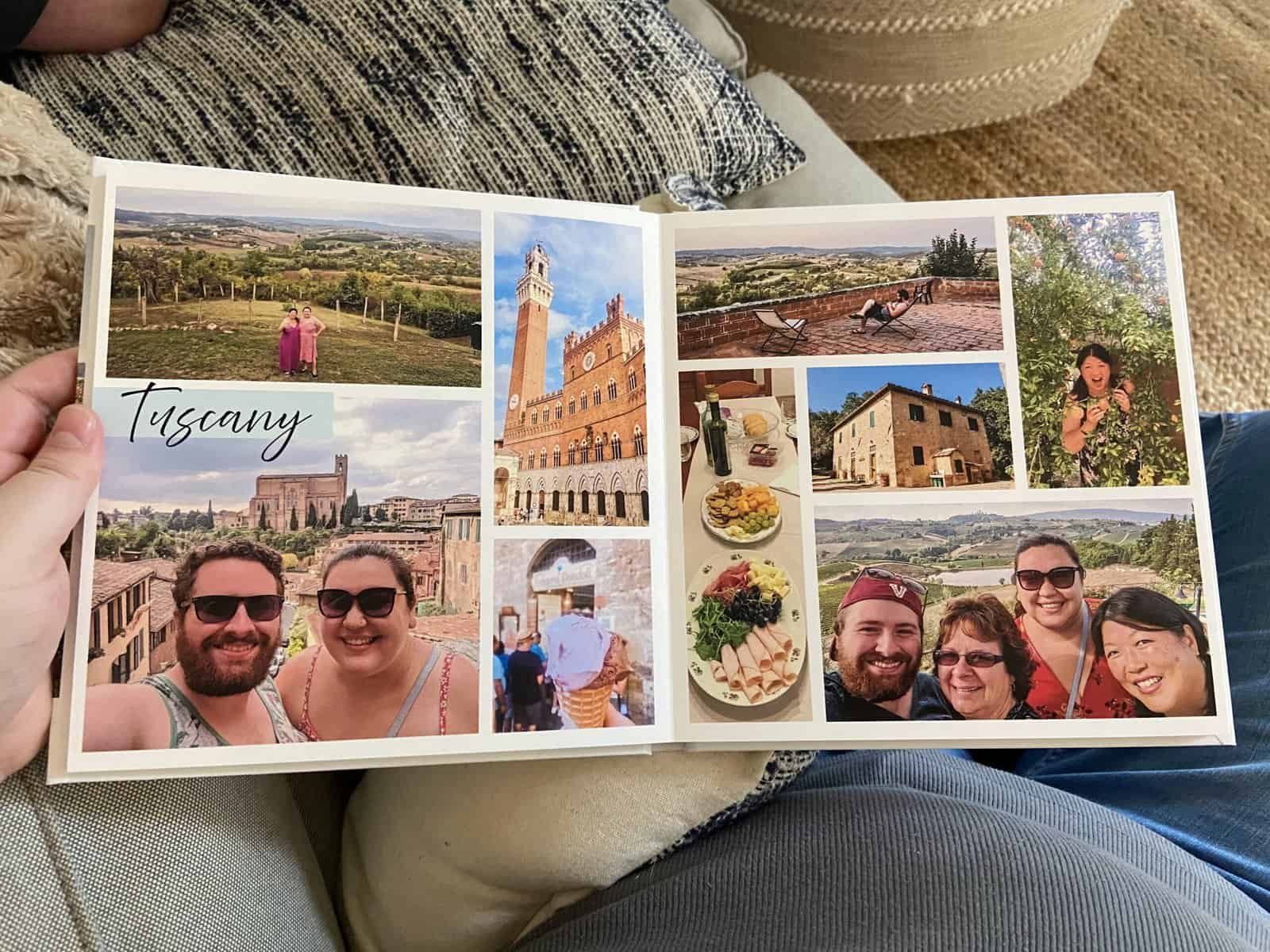
For this photo book, I put together an epic 51-page album of our year abroad in Prague. Because this was such a huge album of a very special trip, we decided to add some upgrades.
Check out my 2024 review of Mixbook photo books and my 2025 Mixbook baby book, plus use my code MIXTEA26 for up to 50% off!
Photo book order
Here’s what we ordered:
- Minimal white pages/style
- Matte hard cover album with photo cover
- Premium lustre lay flat pages
- 51 pages
- 8.5 x 8.5″
- Shipping: $13.99 CAD ($10 USD)
- $62.89 CAD ($47 USD) total (not including shipping costs)
Price: 3/5
I’m not going to lie, the Mixbook photo book was expensive! And I had a discount code for 55% off. Without that code, the album would have been $139.75 CAD ($104 USD) before shipping!
While this was certainly a pricy photo book, I did add a lot of that cost with extra upgrades. By choosing a matte hard cover and the lay flat option, I more than doubled the price of their standard book.
Not to mention, the final book was 51 pages and you pay for every extra page after 20. But even with a basic book, Mixbook is more expensive than Shutterfly (by just a bit) or Vistaprint (by quite a lot).
There are two good things about Mixbook’s pricing: 1) Their photo books automatically come with a photo cover – while some other companies charge extra for this. 2) There’s almost always a discount available to decrease the price.
Speaking of: Click here to get up to 50% off your Mixbook order with my code, MIXTEA26
Mixbook is also transparent about their pricing. They have an easy-to-find pricing table for soft cover, hard cover and lay flat book options. Not many other companies offer this, so I love to see it!

However, you don’t get to see the cost of your book while you’re making it. Both Vistaprint and Shutterfly show you the total cost of your book as you work within their editors; Mixbook only has this information available when you go to order.
While the pricing info is still available (either in the table above or when you order), I don’t like that you can’t see it while you work.
I could see people adding pages and not understanding how much the total cost would increase since it’s not displayed in the editor. This is a little shady, in my opinion.

Photo book maker: 5/5
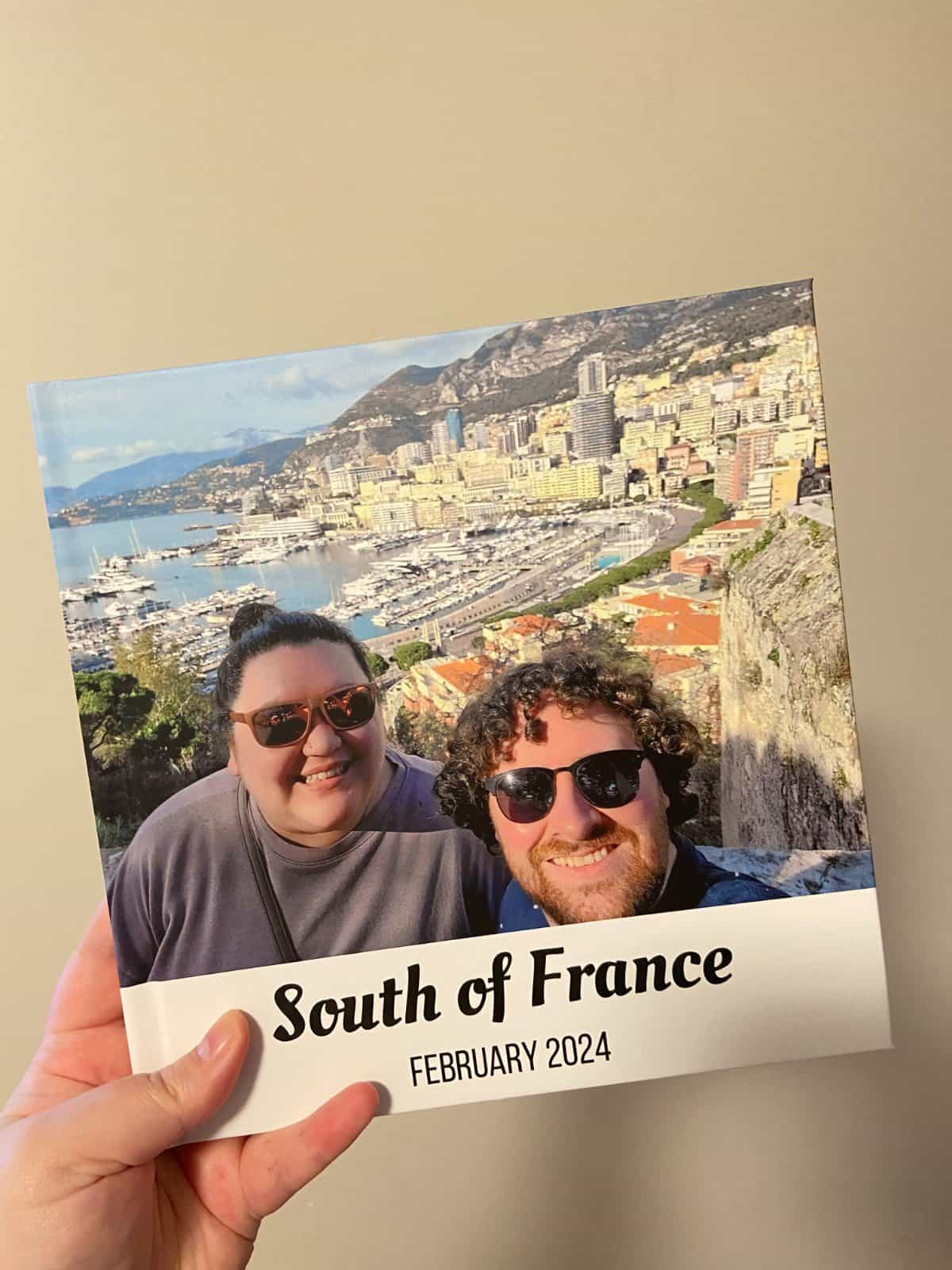
Of the three photo book services, the Mixbook photo book studio was my top pick. Like the others, it was easy to use and offered even more options and layouts. That’s why I chose Mixbook again for my 2025 baby photo book and custom ABC book!
You can easily upload photos from your computer/phone or even import them directly from social media or Google Photos. They even have a mobile app if you want to design your whole photo album on your phone.
PS: Want to create your photo book while you’re still on the road? Use an eSIM to easily get online. With Holafly, you can access unlimited data around the globe, plus rest easy with Always On, 1 GB of free backup data renewing monthly for 12 months.
Use TEASPOONOFADVENTURE for 5% off on eSIMs and 10% off Holafly Plans (for the first 12 months)!
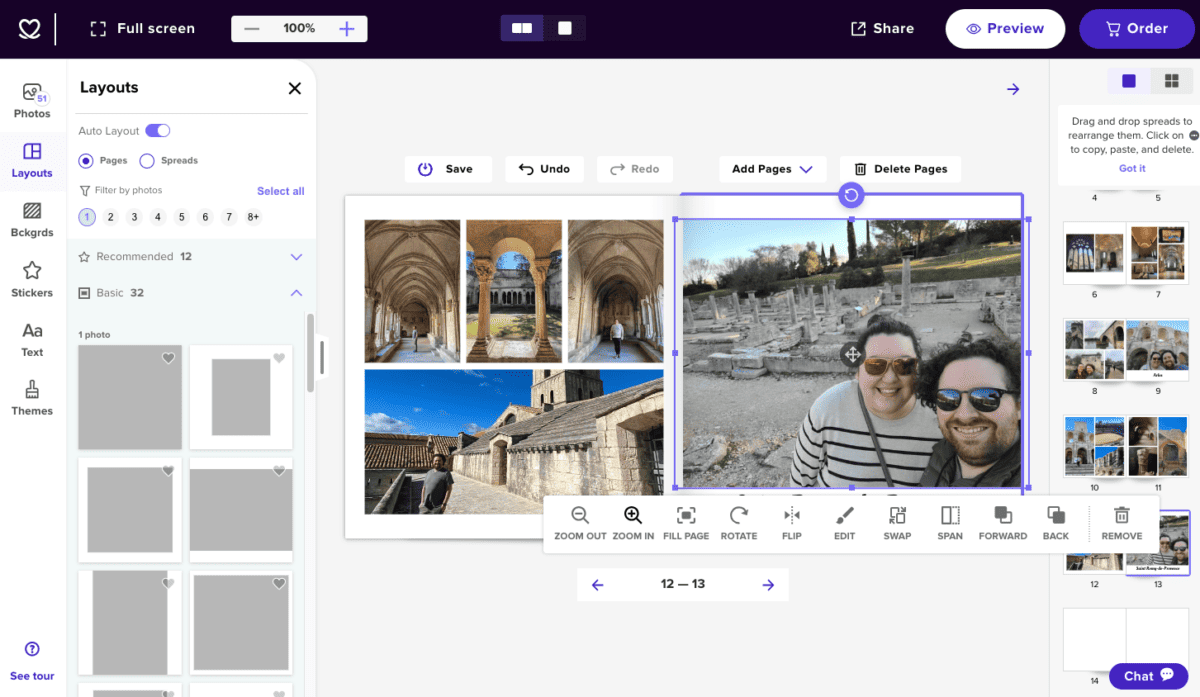
I found it the most user-friendly because uploaded photos lived on the lefthand side (rather than the bottom) and were very easy to scroll through. They listed the date the photo was taken, which made putting together a chronological book very easy.
I also liked having the pages on the righthand side where I could easily collapse them for more editing room or expand them to see my entire book at a glance.
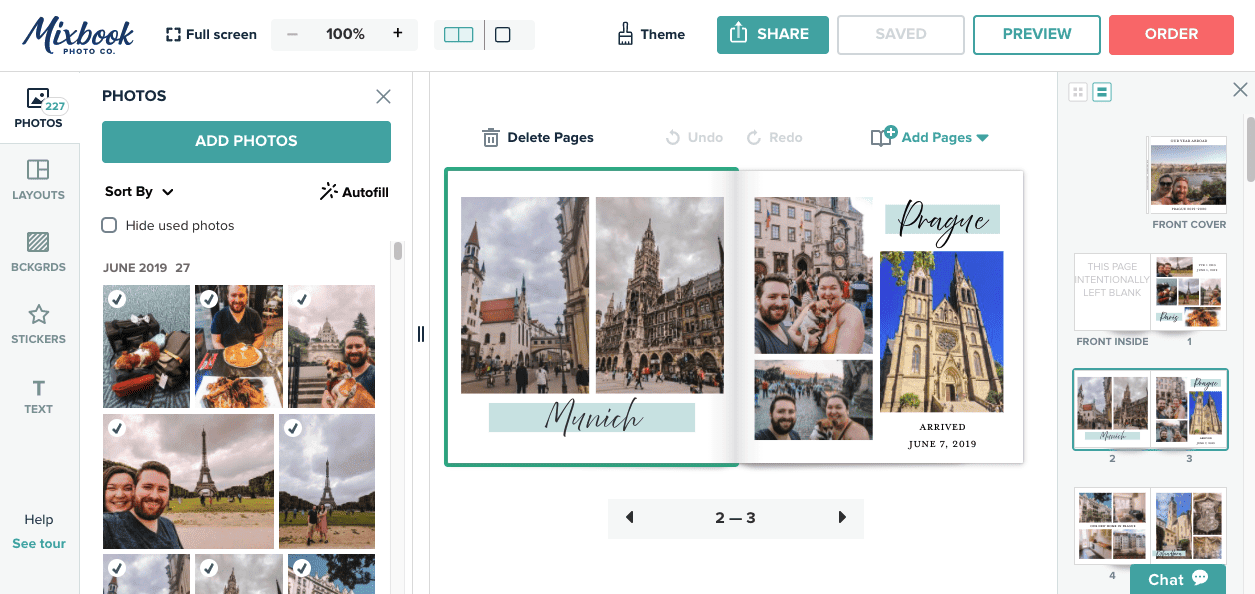
I used Mixbook Studio again in 2024 and 2025, and the photo book creator has only gotten way easier and more fun to use!
Check out my full 2024 Mixbook review for all of the details.

In designing a new book this summer, I noticed that Mixbook is trialing a Maps feature. And as a travel blogger who primarily makes photo books from my trips, I love it!
I love the idea of adding a map to my books and getting to choose the design of it. You can also rename locations, if you want to really personalize your map.

Delivery: 5/5

I was very impressed with Mixbook’s delivery. I ordered this photo book on March 16, 2022 and received an email telling me I could expect the book by April 8.
However, it showed up in my mailbox on March 24th! So not as super speedy as Shutterfly, but delivery was quick and the book arrived sooner than expected.
It was a similar story with the Mixbook I ordered in 2024. I placed my order on Feb 23 and it was supposed to arrive Mar 5, but showed up early on Feb 29!
And once again in 2025: I ordered on May 14 with an expected delivery of May 26 but it showed up early on May 21. So that’s three times over three years that Mixbook has outperformed on delivery.
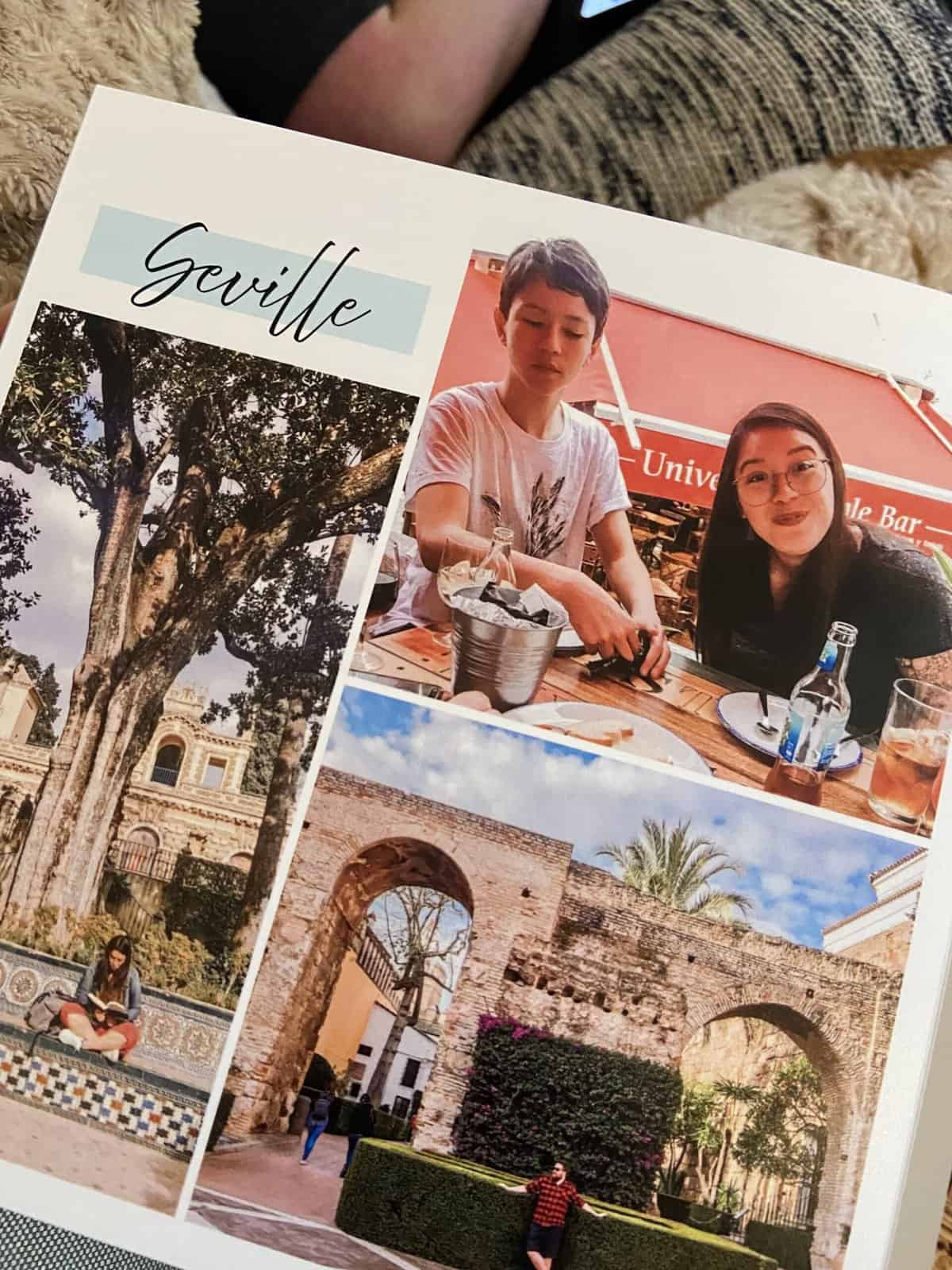
More than the speediness, I also really appreciated the packaging of the delivered product. My most recent 2025 Mixbook photo book showed up in a clean, simple cardboard package.
Rather than an oversized and wasteful cardboard box, this cardboard was a single, thick piece that wrapped around my book. My book was protected and I felt good knowing there wasn’t a bunch of extra paper or plastic being used to ship it.
Product: 5/5
By far, the Mixbook photo book is my favourite of the three books I’m reviewing. Though it was also the one I added the most upgrades to, so you get what you pay for!
I absolutely loved the cover of this book. The matte finish and print quality were perfect and felt so luxurious.
Inside, the pages were so thick I often tried to rip them apart, assuming it was two pages stuck together.
The lay flat binding was also such a great feature allowing the book to be easily viewed and no photos to be cut off.
Some of the photos were a tiny bit grainy, but I think that had more to do with the photo I uploaded than Mixbook’s photo book printing.
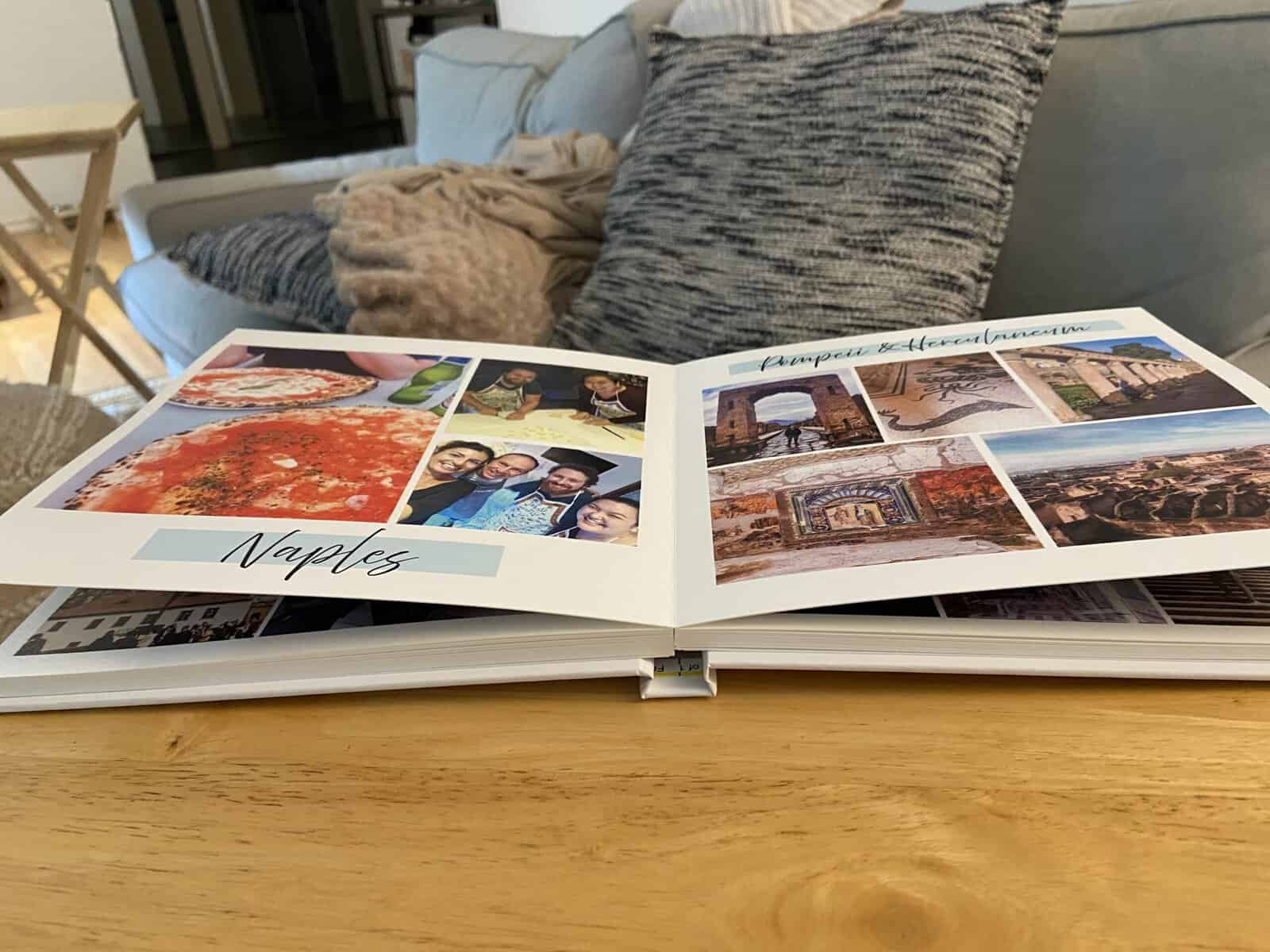
When I ordered from Mixbook again in 2024, this time a more basic hard cover book, the quality still really stood out. So the extra add-ons are nice, but not necessary.
I went with an 8.5×8.5″ Classic Square Matte Hardcover Photo Book and thought it looked excellent!

In 2025, I tried out a soft cover book from Mixbook and was once again really impressed by the quality.
I created a rhyming book for my husband to celebrate his first Father’s Day and I swear the book looks professional enough to fit in with our library of other kid’s books.
The image and text printing was really crisp and the pages were nice and thick. It felt substantial, despite not having a hard cover.
For my full Mixbook photo review, check out this post!

Later in 2025, I turned to Mixbook again to create my baby book and to make calendars for my parents. So clearly, I’m a big fan of Mixbook!
Pros and cons of Mixbook photo books
Pros:
- Incredible quality book, especially the cover
- Fast delivery
- Best photo book creator
Cons:
- Not as affordable as other options
- Price not displayed in the editor while you work
Mini Review: Printique photo book review

I recently had the opportunity to work with Printique, a printing company out of New York City, to create a Classic Hardcover Photo Book.
The process of designing the photo book had a learning curve to it and I did find their editor a bit clunky. I found a few glitches, but was pleasantly surprised that the Printique team acted quickly to fix them.
The editor also had some big pros, like the ability to create your own custom photo layout and lots of font choices.
And the final product more than made up for any glitches. I was really impressed by the Printique photo book!

Despite not paying for any upgrades, I received a really luxurious book with thick paper, vibrant printing and solid construction.
The Printique photo book isn’t the cheapest book on the market, but it’s not astronomically overpriced either. Honestly, I’d expect it to cost more for that level of quality.
Check out my full Printique review where I break down the design process, pricing, delivery and final product. Plus, use my code TOA25 to get 25% off!
Mini Review: Artifact Uprising photo book review
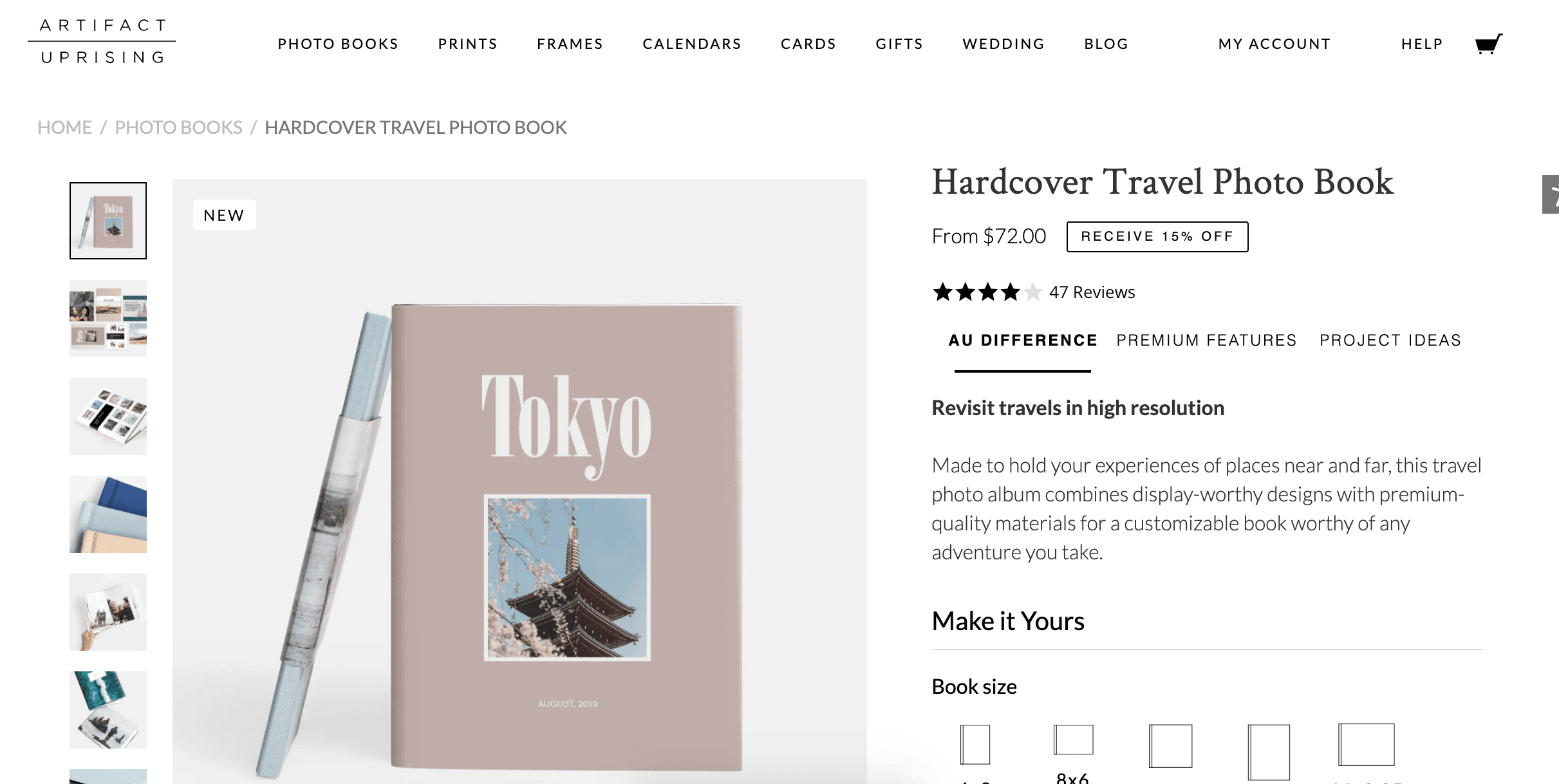
I haven’t ordered an Artifact Uprising photo book in a long time, so don’t feel it would be fair to include it in my full review of the best photo book makers.
However, I did want to mention it as Artifact Uprising is a big name in the online photo book service world and I have used them in the past.
I ordered a small photo book from Artifact Uprising in 2014 of a trip through Europe with my mom.
While the project was no longer available in my account (so I can’t share the details of the order), I remember being quite impressed with the experience and product quality.
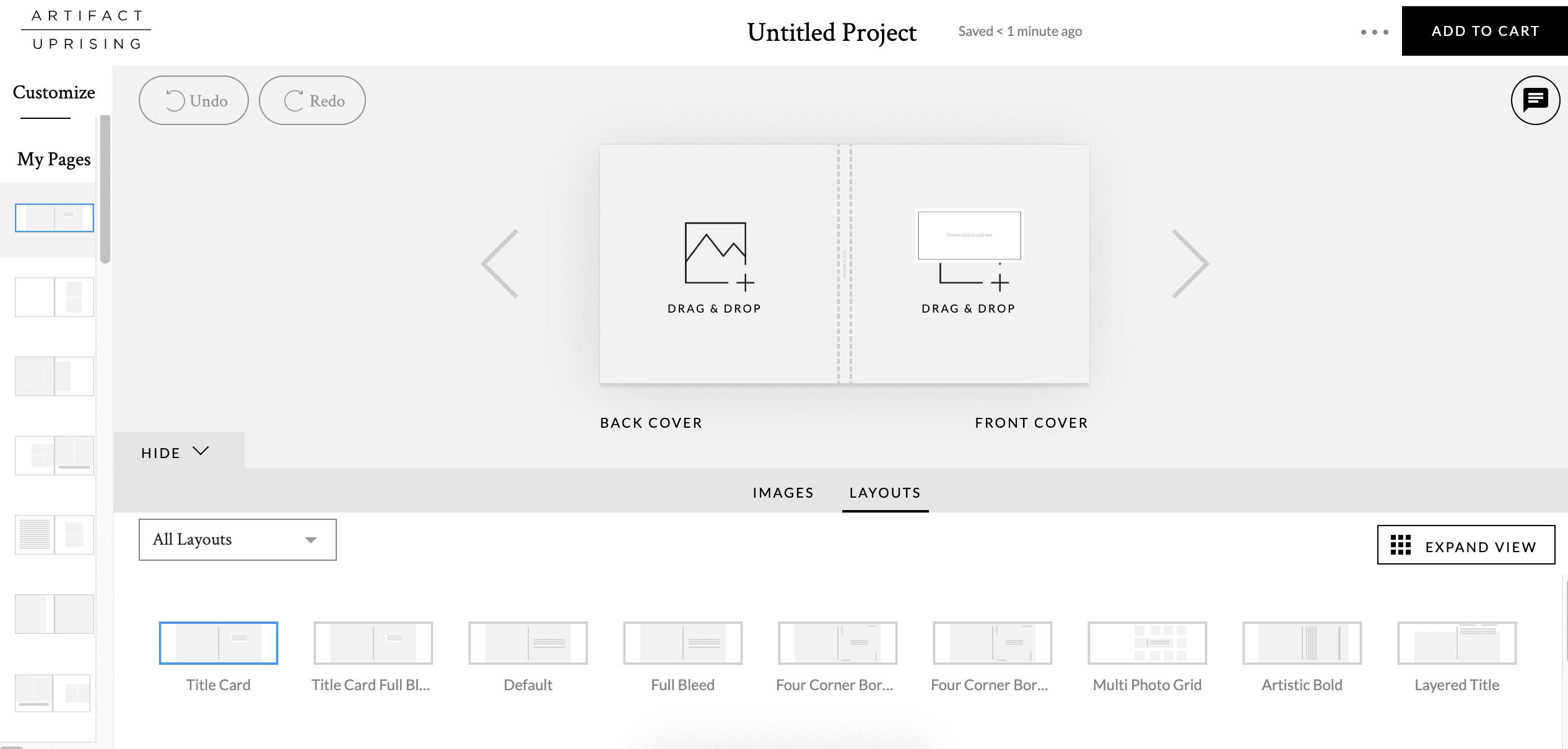
Generally speaking, Artifact Uprising isn’t in my budget. While I want my photo books to be good quality, I’m not willing to pay hundreds of dollars to get that.
In order to afford Artifact Uprising, I’d have to sacrifice on the size, cover and number of pages in my photo book, which I’m not willing to do.
However, if I had a deep discount code, or wanted to create a more high-end photo book, I’d definitely head to Artifact Uprising. They’re well known for their quality and I remember having a good experience with them back in the day.
Photo book showdown: Shutterfly vs Mixbook vs Vistaprint
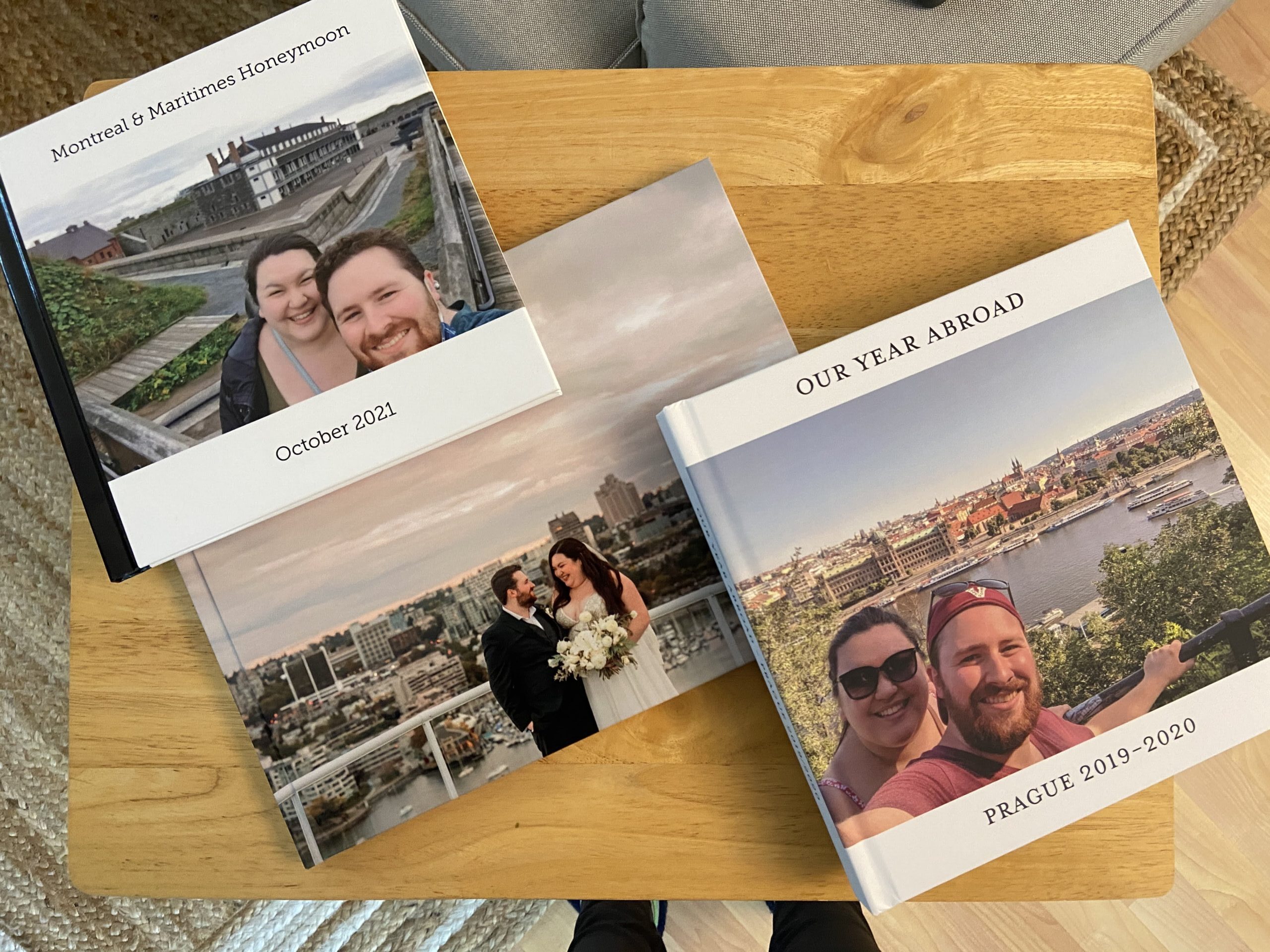
Okay, now that I’ve reviewed Vistaprint, Shutterfly and Mixbook (with a mini bonus review for Artifact Uprising), which online photo book service is truly the best?
For starters, let’s do a straight comparison of the same product across Vistaprint, Shutterfly and Mixbook with 2025 prices.
If you want to order a hard cover photo book a with photo cover, in size 8-8.5 x 11″ with 20-24 pages, here are the costs without any discounts, promotions or shipping fees:
- Vistaprint: $36 CAD ($26 USD)
- Shutterfly: $68 CAD ($50 USD)
- Mixbook: $61 CAD ($44 USD)
In this scenario, Vistaprint clearly offers the cheapest price.
(Note, when I first wrote this post in 2022, Vistaprint and Shutterfly were tied for pricing but in the years since, Shutterfly has really raised their prices!)
In fact, the Vistaprint book is an even better deal because it’s bigger than the Shutterfly book (8.5×11″ vs 8×11″) and includes 24 pages, instead of the 20 that Shutterfly and Mixbook start with.
So I’ll give the win on price and value to Vistaprint!
But let’s break things down a little further:

Which photo book maker is the cheapest?
If you’re looking for the absolute cheapest photo book with each company, Vistaprint starts at $15 CAD ($11 USD), Shutterfly starts at $34 CAD ($25 USD), and Mixbook starts at $14 CAD ($10 USD).
[All prices current as of August 2025.]
However, those are three very different books!
- Mixbook’s at $14 is the cheapest, but is a 6×6″ soft cover book with a glossy photo cover and semi-gloss pages.
- Vistaprint’s is only $1 more than Mixbook’s and you get a hard cover. But it’s smaller (5.5×4″) and a photo cover will cost you extra.
- Shutterfly’s $34 book is the most expensive but it’s also the largest at 8×8″. It has a soft cover, standard pages and a photo cover.
I’m actually quite shocked at how expensive Shutterfly’s book is – especially considering it’s a soft cover book. They’ve really raised their prices since I ordered from them in 2022!
If you want a hard cover, Vistaprint is the cheapest online photo book service with their $15 option above. Shutterfly’s hard cover books start at $50 CAD and Mixbook’s start at $29 CAD.
Vistaprint is also the cheapest when it comes to pages; Vistaprint includes 24 pages (Mixbook and Shutterfly only include 20 pages) and additional pages start at just $0.68 CAD per page.
So even though Mixbook has a $14 option ($1 less than Vistaprint’s cheapest option), I’m going to give the win to Vistaprint as they’re the more affordable company if you’re making a hard cover, larger or longer book.
WINNER: Vistaprint
What is the best website to make photo books?
Mixbook is the best website to make photo books. I believe it has the most user-friendly custom photo book creator software.
I loved having the photos on the lefthand side organized by date and the pages laid out on the righthand side where I could easily hide them when I wanted to full-screen what I was working on.
They also offered lots of layouts, graphics, fonts, sharing options and fun extras, like AI captions. The process was very easy, intuitive and enjoyable with Mixbook.
The Shutterfly photo book editor also has lots of layouts, but lost points for where they house uploaded photos. It felt a bit clunky and made making my book more cumbersome.
Vistaprint had uploaded photos in a better area than Shutterfly, but the photos were not dated like they were with Mixbook.
Their photo book creator didn’t seem as modern or intuitive as Mixbook’s, but it was still relatively good.
WINNER: Mixbook
Which photo book service offers the most upgrade options?
Both Shutterfly and Mixbook allow you to customize your pages, paper options and cover, but Shutterfly has the most upgrade options.
With Shutterfly, you have many different cover options, including soft cover, hard cover, eco-leather and acrylic. You can also add metallic accents, a memorabilia pocket, gilded pages, foil imprinting, a gift box and more.
Shutterfly also advertises their 24-hour free designer services, which I assume would be a fun extra if you’d like a professional to design your photo album.
Mixbook has upgrades for a lay flat design, which includes a keepsake box. They have different paper options for their hard cover and lay flat books, such as semi-gloss, matte and lustre.
Mixbook used to offer other cover options, like leather covers or dust jackets, but these don’t appear to be available anymore.
Vistaprint actually has the fewest options. You can only choose from a photo or linen cover and upgrade your pages from matte to glossy.
WINNER: Shutterfly
Which online photo book company has the fastest delivery?
Shutterfly has the fastest delivery, with my photo book arriving in Canada from the US only three days after I ordered it.
Mixbook was also quite quick, and beat their estimated delivery time by two weeks every single time I ordered (from 2022 to 2025).
Vistaprint missed their delivery time, even though I paid for priority shipping, but there may have been some extenuating weather circumstances in Dec 2021.
In later Vistaprint orders, they seem to be pretty hit or miss with delivery.
WINNER: Shutterfly & Mixbook
Which photo book is the best quality?
Of the three custom photo books I ordered, Mixbook was definitely the best quality. I loved the feel of the book and cover, the thick, lay flat pages, and the quality of the photos.
Read my full review and grab your own high quality Mixbook photo book with my 50% off code!
However, I did pay for upgrades with Mixbook that I didn’t with Vistaprint or Shutterfly, so it’s not a completely fair comparison.
In my more recent Mixbook order from March 2024, I didn’t upgrade my cover or pages and I still feel that it’s a higher quality book than Vistaprint or Shutterfly.
And even Mixbook’s soft cover photo book, which I ordered in May 2025, felt very high quality and was available at a lower price point.
After Mixbook, the Vistaprint photo book was far better quality than the Shutterfly photo book.
WINNER: Mixbook
Is Mixbook or Shutterfly better?
For me, there’s no contest. Mixbook is better every day of the week!
While Shutterfly has more options and super speedy delivery, the creating process with Mixbook Studio and the final physical product is far superior with Mixbook.
Back in 2022, Shutterfly used to offer a much cheaper photo book. But their 2025 prices have really gone up, making Shutterfly and Mixbook about the same price.
So for the same price, I’d definitely choose Mixbook for the much nicer product and more intuitive photo book editor.
Overall, which online photo book maker is the best?
Overall, I think Vistaprint is the best online photo book service. It’s the cheapest option if you want a hard cover book with more pages, the pages lay flat (despite not paying for this upgrade) and the photo quality is very impressive.
The only let downs with Vistaprint are there aren’t any upgrades available and delivery time can be hit or miss. But to me, the decent quality of the final product and the lower price tag outweigh those cons.
I very nearly said Mixbook was my top pick and, honestly, it’s a very close second.
While I do love the experience with the Mixbook Studio photo book maker more and I think the Mixbook product is better, plus the delivery is so speedy, the higher pricing can be a deterrent.
(Luckily, you can snag a great deal on a Mixbook photo book with my code, MIXTEA26!)
If you’re happy to spend a little bit more for a high quality product, intuitive custom photo book creation experience and reliable delivery, I’d go for Mixbook.
If you’d prefer to save money and don’t mind an ever-so-slightly less awesome product/making experience, and you have the time to wait on a potential late delivery, I’d go for Vistaprint.
WINNER: Vistaprint (with Mixbook just a hair behind!)
Wrapping up: 5 tips for selecting an online photo book maker
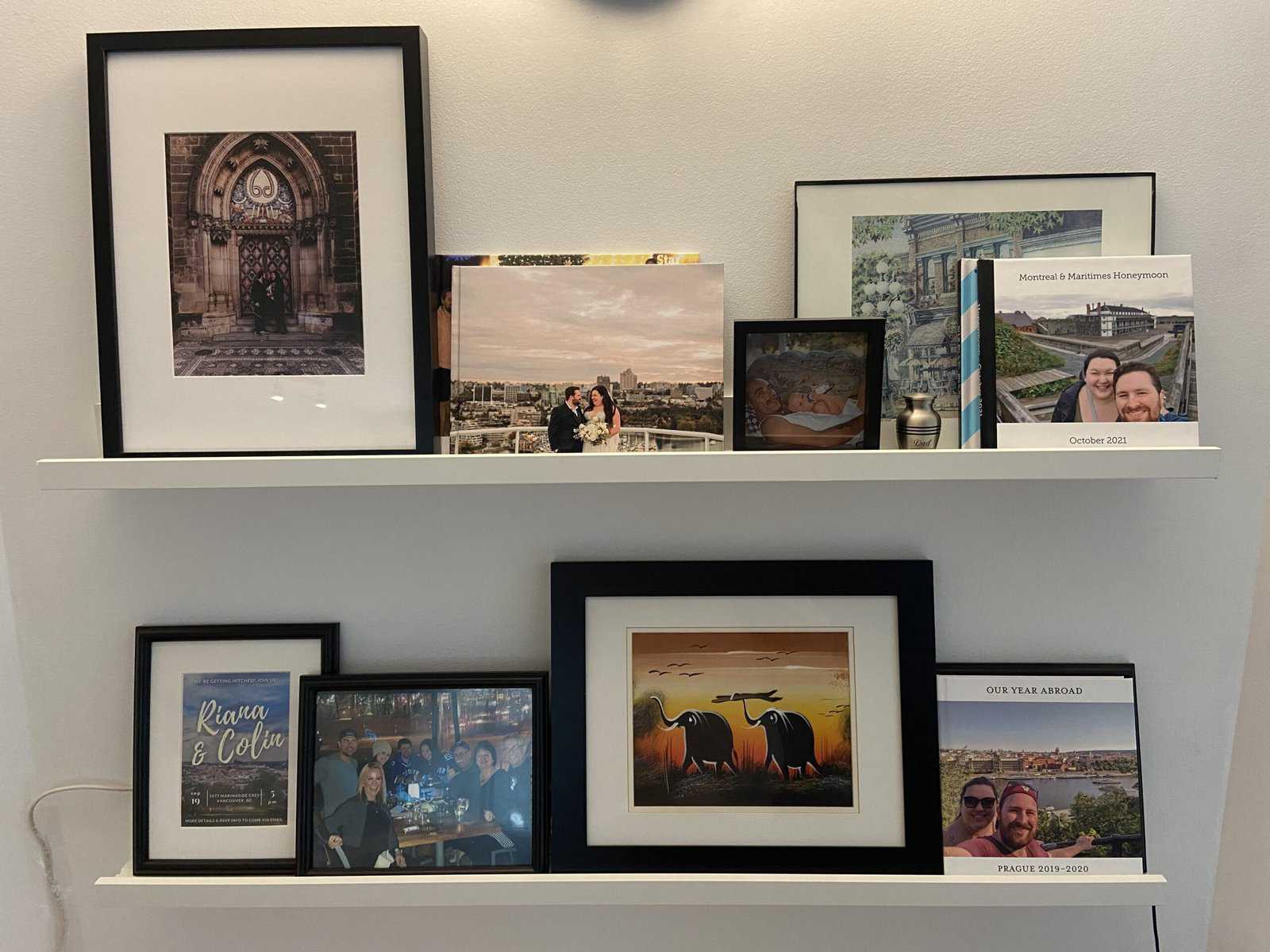
You thought after thousands of words I’d be done talking about photo books? Not quite!
Here are a few more tips for finding the best online photo book service for you:
1) Choose a photo book service that matches your needs and skill level
I love spending hours choosing photos, selecting the perfect page layouts and lining them up perfectly. That’s fun for me!
But if that sounds like a nightmare to you, then skip it! Lots of photo book services offer auto-layouts or designer services so they can take care of the hard work for you.
2) Look for discount codes, coupons and sales
Every single photo book I have ever ordered has been on sale; I have never paid full price for an online photo book.
These companies run sales all the time and discount codes are easily available online (such as in this post of mine with a 50% off code for Mixbook!) or by signing up for their newsletter.
If your book isn’t time sensitive, wait it out until a sale pops up.
3) Don’t go wild on extras
The easiest way to blow your photo book budget is with all of the extras, such as adding more pages, increasing the size of your book and upgrading the paper or cover.
(My weakness is always extra pages! I added 31 extra pages to our Prague photo book…)
Keep these optional extras in mind when you’re starting out so you have an accurate idea of how much your book is going to cost.
4) Watch out for shipping costs
Especially if you’re ordering from Canada like I am, or a different country than where the company is based, double check what shipping costs will be and if you’re being charged in your home currency or not.
It would suck to spend hours making a photo book only to realize you’ll have to pay double the cost of the book just to get it shipped to you.
5) Order early
While some of my photo books showed up surprisingly quickly, there can be delays.
So if your book is time-sensitive, make sure you order ahead of time. This is especially important if you’re ordering around the winter holidays.
Plus, don’t underestimate how much time it might take you to design your book and get it just right. Give yourself extra time not only for shipping, but for designing too.
I’d love to know: Have I convinced you to print your photos and make your own photo book? Which photo book maker would you go with?





Oooh this is so helpful, thank you! I used to make loads of photobooks using my old macbook/iphoto, but whenever I tried other companies, they were less good (back in the UK.)
Now yu’ve made me want to give this a go in Canada. 🙂
I don’t mind paying a bit more if it means the print quality is good. So I guess I should try Mix or vistaprint?
Thank you! So glad to hear it’s helpful. I’d say Mix or Vistaprint is the way to go. Mix would probably be my choice if money was no object, especially if you get the fancy paper!
Hello Riana. Many thanks for your article – so helpful and so kind of you to research this. I am going to choose Mix because after Apple I used Motif but they have changed their programme and am finding it most confusing. How does Mix know the dates of the photos? That for me will be a bonus so that I don’t get everything in the wrong order! If I use your discount code how long does it last for as it will take me a while to finish and finalise my photo book?
Again thank you for your time and effort to help others.
Rosie UK
Hi Rosie, thanks for checking out the post! I believe Mixbook picks up the date based on the metadata of your image. If your images have a title (most default to IMG###), I believe you can also sort by title which would also likely be chronological. You can always play around with the Mixbook Studio and see if it’s doing what you want.
The code doesn’t expire until Dec 2024, so you’ve got lots of time! Have fun making your photo book!
Thanks for this very thorough and informative review! My only question is can you add captions to the photos and/or text over the photos?
Thanks for checking it out, Katie! Yes, you can add captions and text wherever you’d like, including over the photos.
Thank you for sharing this! I wonder if any of the options allow you to add text, for example, identifying the place, people, impressions, etc.?
Thanks for checking it out! Yes, all of the photo book makers allow you to add text. You’ll see in the Europe example with Mixbook that I wrote out the names of locations.
This is a wonderful comparison! I have been using Booksmart by Blurb and really like it. However I get the feeling that they will not be supporting this platform for much longer and I do not like their newer platform. Do any of the photobook companies that you have used allow you to design your own page layouts?
Also, a feature that I use frequently in Booksmart is adding borders or picture frames to the photos. Do any of the above photobooks have this feature?
Thanks for checking out the post, Patricia! Yes, all of the companies I’ve used allow you to design your own page layouts (that’s usually my preference too). I believe they also have frames/borders as well, but I can’t recall for sure.
Hi Riana, Have you ever used Photobook Canada? They offer a good deal now on Facebook, but I am not sure about the quality and ease of creating a photo book?
Thanks,
Irina
Hi Irina, thanks for checking out the post. Sorry, I haven’t tried that one yet. Feel free to comment again if you do try it and let me know how it goes!
Thanks for the work. Have you tried the inbuilt photo book maker in Google photos? That’s the only one I have used.
Thanks for checking out the post! I haven’t used the Google Photos photo book maker but have seen it pop up when I’m in my Google Photos. Maybe one to try!
This was so helpful! The detailed comparison was very informative and helped me make the right decision. Thank you so much!
Thanks, Paula. So glad it was helpful!
I’m looking to create a memory book with scanned-in handwritten letters in addition to the photos. Do you know if any of these services let you upload PDFs? I’m wondering if the letters will still be readable or will they be blurry.
Sounds like a very special book! I haven’t tried uploading PDFs myself, but you could always convert them to jpegs/pngs. There are websites that will do this or you could simply take a screenshot on your computer. You should be able to check the quality before ordering. Some of these platforms will flag if an image is too low quality/blurry.
This is great–I’d love to see even more comparisons. When Shutterfly was bought out (and took along several other book makers), the prices went through the roof and quality dropped. I and several other photographers used My Publisher, but they went out of business and so did quality. My final two orders from Shutterfly I had to search for where my discount was and found that I had to cancel the Costco discount in order to activate the greater discount! It’s written no where, I just kept experimenting. I just used Mixbooks for calendars, but won’t again as it’s too expensive. Do you know of ANY online place that offers a discount for volume?
Thanks so much for checking out the post and sharing your experience with Shutterfly and Mixbook. As I just order the books for personal use, I don’t know any offhand that offer volume discounts. But this weekend (Black Friday) is always a great time to order!
This is a great review of products I’m familiar with! I used to use My Publisher for my family’s yearly and travel photobooks, and was sad when they went under. I’ve been using Mixbook for about 5 years, but I just finished two yearly books and the price was over $400! The additional pages went WAY up, and this is including the great discount codes that I always wait for, but it’s just out of my price range for books that I want to be on the longer side. After reading this review I will be looking into Vistaprint and a book by Google Photos, which I haven’t heard of. But that’s where my photos are, so maybe that will be the easiest!
Thanks for sharing! Wow, over $400 really is pricy. Those must be some very long books! Hope you find something more suitable for your next books.
This was so incredibly helpful!!! Thank you for your thorough and honest reviews!
Thanks for checking it out, Taylor!
It has been a long time since I made a photobook! Your post made me want to gather my photos and make a book or two. I’ve always used Shutterfly. The books were high quality and I was always able to pair my order with a great offer: free shipping, free pages, or offers of 50% off or more.
Thanks for checking out the post, Alecia! The coupons and codes definitely help make photo books more affordable.
I’m a photographer and I’ve tried a number of companies. Vista Print was pretty accurate on color and BW, and while better than most It was only ok. The best I’ve ever seen is spending, but extraordinary in quality, accuracy in the fussy BW and color, that was Adorama’s Printique Layflat. If I need an heirloom to be passed along, they are it, but you must budget for it. The printing quality was as fine as my gallery prints, and I was pleasantly shocked to see that. High Gloss, heavy-weight paper with absolutely precise tonal range. However, It isn’t for your average photo set. If I were doing a wedding album professionally, I’d go with them, hands down.
BTW, my brother, who is a highly successful artist and has authored more than a half dozen books on his art with exceptional quality books ($60-$100 range) was so impressed he asked who I used to print my work.
Thanks for sharing, Jeb. Good to know there’s some great quality options out there (even if we have to budget for them!).
This was SO helpful in my photobook research, thank you so much!
So glad to hear it!
This is just the article I needed! I’m pretty new to making photobooks and have only used London Drugs, which I agree has only been ok. Going to create a Mixbook album this time.
Thanks so much for checking out the post, Amelia, and glad it was helpful. Best of luck with Mixbook (don’t forget to grab my discount code above!).
Thanks Riana! So helpful
You’re welcome! Glad it was helpful.
I never leave comments, but I am SO thankful for the work you put into this review! Excited to use your discount code and get started on making some photobooks! Thanks!
Aw thank you so much, Kylie. Enjoy!
I have used Blurb and their BookWright software on a PC. I like their Trade books as a cheaper but still very good option for a Travel Book or event celebration Book. Have found quality and delivery fast and generally on time. I like the option to create custom format. They are in a number of countries and ship to most places. Frequent promotional deals. Curious to know how it compares with your faves.
Roger
Haven’t heard of them but thanks for sharing. Will check them out!
Thank you for your thorough review! Very helpful! I am curious if you have used the Mixbook app? Curious if it’s easy enough to use as you travel.
Thanks for checking it out, Karla! I haven’t tried the Mixbook app – I usually prefer using a big screen on my laptop – but I think that’s a cool idea to create your book on their app in real-time as you’re travelling. I might have to give that a try!
I just got back from three weeks in South Africa, Eswatini, Zimbabwe and Botswana and took well over 2000 photos. I came across your analysis while researching how to make a lasting memento of the trip (instead of leaving all the pics to languish on my PC…). You’ve convinced me that Mixbook is the way to go – it was a trip of a lifetime so a quality reminder is in order. Now to tackle the onerous task of whittling down the photos to a manageable number!! Thanks for the detailed analysis.
Wow, that sounds like such an incredible trip, Scott! Thank you so much for checking out my post and I hope you are very happy with your Mixbook. Culling the photos is always so tricky but I’m sure your finished product will be well worth it.
This post is really helpful. I learned a lot about this topic. I recently wrote something related on my blog — might add more perspective for your readers.
Thanks for putting this together!
Thanks so much for checking it out!
Thank you for this review! So helpful! We celebrated my parents 50th wedding anniversary with a party this past summer and I’m attempting to make a photo book for them for Christmas. Do you know if any of the above allow you to make duplicate books but in different sizes? Would love to make my parents the larger book and then give smaller sized copies of the same to my siblings. Also, is your discount code still available for 2025?
Congrats to your parents on 50 years of marriage! What a sweet way to celebrate their milestone with a photo book for you and your siblings. I’ve ordered multiple copies of a book before but not in different sizes. However, I just popped into Mixbook and went to the Order Page and it appears that you can change the size from there. So yes, it’s do-able! And also yes, the discount code still works for 2025 (I just used it myself a couple of weeks ago). Happy creating!
Hello, thanks for this review. I’m a 70 y.o who would like to cull through boxes of photos of my children growing up and create a memory album for each of them. Do you have a recommendation on which of these companies is the easiest to work with for non digital photos, ie scanning or another method to get them uploaded?
Thanks for checking out the post, Sharon. Unfortunately, I don’t think any of these companies provide that service. I know there are companies that will take your printed photos and digitize them, but I haven’t tried any myself. But I hope you find one that works as your memory albums for your children sounds like such a lovely idea.
Dear Riana, Thanks for the excellent review and very helpful Responses to the comments of your followers. I wonder if these companies allow you to Select photos and develop your book on both your cell phone and laptop?
Thanks, Olenka! I’m glad you’ve found the post and comments so helpful. I prefer to design my photo books on my laptop but I did a quick search and both Mixbook and Shutterfly do have mobile apps that allow you to create a photo book from your phone. Printique has an app as well but it might only be for prints and Vistaprint doesn’t seem to have one. I also have worked with Popsa and they are mostly an app-based option.
I loved this comparison as I’m trying to compare options! I will say – Shutterfly frequently has unlimited page deals, and I know my mom in the past will have books set up and order them when the unlimited page deal comes out.
I’m curious if you took that into account would Shutterfly be your front runner?
Hey Sam, so glad you found this comparison helpful! I was just reading a post by someone who does the same thing as your mom and waits for Shutterfly to have a sale on unlimited pages. I don’t think that would make Shutterfly a front runner for me, as I did find the quality quite poor, but it definitely makes it a cheaper option if you have a big book to make. I think it comes down to priorities for your book. If this was a big occasion book, like a wedding album or maybe a bucket list trip or a gift, I could see choosing one of the more premium services where you know the pages and print quality would be high. But if you make a book every year or just want to be able to have a ton of pages and not spend a fortune, I definitely see the benefit in using Shutterfly’s deals. You also have to factor in timing the deal. If you’re not in a rush to print your book and can wait until the unlimited pages deal pops up, that’s great. But if you’re trying to make your book in time for a holiday or event, you might not have that luxury.
I really appreciate your detailed comparison of the top photo book services! I’ve been struggling to decide which platform to use for compiling our family’s travel memories, and your breakdown of the user experience and pricing is incredibly helpful. It’s definitely true that holding a physical book brings the memories to life in a way digital photos just can’t. Since I have thousands of photos from our recent trip to Europe, I think I’m going to edit my images before I start designing the layout. Thanks for the great guide, it’s exactly what I needed
Thanks for checking out the post, Lucas, and I’m so glad to hear it was helpful. Hope your Europe family album comes out great!
Great post! I’ve been looking for a reliable photo book maker, and your reviews made it much easier to decide. I appreciate the detailed comparisons and pros and cons for each option. Can’t wait to try one out for my travel photos!
Thanks for checking it out and happy photo book making!